Bitly vs Rebrandly: Features, Pricing, and Limits Compared (2026)
Last updated:
Comparisons

LucaG is the co-founder of ShortPen. Before that, he built Guadagnissimo from scratch, a personal finance blog that reached hundreds of thousands of readers per year and was later acquired. That experience is where he learned SEO and marketing attribution hands-on. He also runs NTSOT, a newsletter on tools for work and life. His background spans product design, growth, and building online businesses.
Show more
Rebrandly is the cheaper way to get branded links. It includes a custom domain on its free plan and two on its $8/month Essentials plan. Bitly is the better pick if you want QR codes, landing pages and analytics in one dashboard, but its plans have low monthly caps and custom domains start at $29/month.
Bitly vs Rebrandly is a choice between two of the oldest names in link management, and the right answer depends on which limit you will hit first. Both tools shorten links, create QR codes, connect custom domains and track clicks. They charge for those things in very different ways.
One note before we start: ShortPen is a link management platform that competes with both tools**. To keep this comparison fair, every price and limit below comes from Bitly's pricing page and Rebrandly's pricing page, both checked in September 2026.
Looking at a third option?
ShortPen gives you branded links, dynamic QR codes, and conversion tracking in one dashboard.
Bitly vs Rebrandly: link shorteners at a glance
Rebrandly gives you more links, more QR codes and more custom domains for the same money. Bitly gives you a tighter package of links, QR codes and landing pages, and limits how far back your analytics go.
Bitly | Rebrandly | |
|---|---|---|
Free plan | 5 links, 2 QR codes, no custom domain | 10 links, 10 QR codes (watermarked), 1 |
Cheapest paid plan | Core, $10/mo (annual billing only) | Essentials, $8/mo annual or $11/mo monthly |
Cheapest plan with a custom domain | Growth, $29/mo annual | Free ( |
Links per month at about $30 | 500 (Growth) | 1,500 (Professional) |
QR codes per month at about $30 | 10 | 1,500 |
Destination edits per month at about $30 | 20 | 50 |
How analytics are limited | By history: 30 days to 2 years | By volume: detailed data on 100 to 150,000 clicks a month |
Conversion tracking | Not available natively | Professional plan and up |
Teammates below Enterprise | None | 2 on Professional, 5 on Growth |
Landing pages / link-in-bio | Bitly Pages (2 to 20 pages) | Link Galleries (1 to 11) |
Webhooks | Enterprise only | 1 on Professional, 5 on Growth |
Figures from each company's pricing page, checked September 2026. Annual billing unless stated.
In short: Rebrandly wins on volume, domains, teams and conversion tracking. Bitly wins on landing pages and on keeping QR codes and links in a single reporting view.
Bitly vs Rebrandly pricing
Both tools offer a free plan, three self-serve paid plans and a custom Enterprise tier. The difference is in what each dollar buys.
Bitly plans

Free: $0
Core: $10/month, billed annually only ($120 a year)
Growth: $29/month billed annually, or $35 month to month
Premium: $199/month billed annually, or $300 month to month
Enterprise: custom pricing
At the time of writing, Bitly is running a 50% discount on the first year of annual plans for new signups. The prices above are list prices before that offer.
Rebrandly plans

Free: $0
Essentials: $8/month billed annually, or $11 month to month
Professional: $22/month billed annually, or $32 month to month
Growth: $69/month billed annually, or $99 month to month
Enterprise: custom pricing
Rebrandly also sells a separate High Volume plan, priced by annual link volume, for teams that create links mostly through the API (SMS senders, for example). It sits outside this comparison.
What roughly $30 a month buys on each
The fairest head-to-head is Bitly Growth ($29/month annual) against Rebrandly Professional ($22/month annual, $32 monthly). Here is what each includes:
Bitly Growth | Rebrandly Professional | |
|---|---|---|
Links per month | 500 | 1,500 |
QR codes per month | 10 | 1,500 |
Destination edits per month | 20 | 50 |
Custom domains | 1 | 3 |
Analytics | 120 days of history | Detailed data on 25,000 clicks a month |
Teammates | None | 2 |
Conversion tracking | No | Yes |
On volume alone, Rebrandly wins at this price. Bitly Growth makes more sense if landing pages and QR code design matter more to you than the number of links you create.
Free plans compared
Neither free tier is built for ongoing campaign reporting. Both url shortener options are there to let you test the product.
Bitly Free gives free users 5 links and 2 QR Codes a month on the bit.ly domain, 3 custom back-halves and 2 landing pages. There is no click history to review, even though Bitly allows unlimited click tracking for 30 days. Free links and QR codes may also show visitors a preview page with an ad before they reach your destination. Bitly's support center confirms the only way to remove it is to upgrade.
Rebrandly Free gives you 10 links and 10 watermarked QR Codes a month, a yourbrand.bio domain plus rebrand.ly, custom back-halves and one link gallery. Free users get basic analytics: you see a total click count on every link, while detailed click tracking is capped at 5,000 clicks per month and detailed analytics cover only 100 clicks a month. You cannot change a link's destination after it is live.
Here is how that plays out. Say you put one of these short links in a newsletter and it gets 400 clicks in a month:
On Bitly Free, all 400 readers reach your page, some of them after the ad preview. You get no click data to review.
On Rebrandly Free, you see the total of 400 clicks, and location and device detail for up to 100 of them.
That makes Rebrandly the more usable option among free plan link shorteners, but only for light testing rather than serious reporting.
Custom domains and QR codes
Branded links and custom domains
A custom domain turns a link like bit.ly/3xYz into something like go.yourbrand.com, which readers recognize and trust more readily.
This is Rebrandly's clearest win. Its free plan includes a yourbrand.bio domain, Essentials includes two custom domains, Professional three and Growth ten.
Bitly includes one complimentary custom domain from Growth ($29/month) upward, and multiple domains are an Enterprise feature.
For reference, ShortPen's free plan also includes one custom domain.
QR codes
Both tools create dynamic QR codes, which you can point to a new page after printing. Neither caps the number of scans.
Bitly has the stronger designer: colors, logos, patterns and frames, with scans and clicks reported in the same dashboard. The cost is volume. Bitly allows 2 QR codes a month on Free, 5 on Core, 10 on Growth and 200 on Premium.
Rebrandly allows 10 a month on Free, 250 on Essentials, 1,500 on Professional and 3,500 on Growth. Free codes carry a watermark, and adding your logo starts on Essentials.
If you print QR codes for packaging, menus or events, Bitly Growth's 10 codes a month is the limit you will notice first.
Analytics and data limits
The simplest way to see the difference: Bitly limits how far back you can look, and Rebrandly limits how many clicks get detailed data. Both redirect every click, whatever your plan.
Bitly
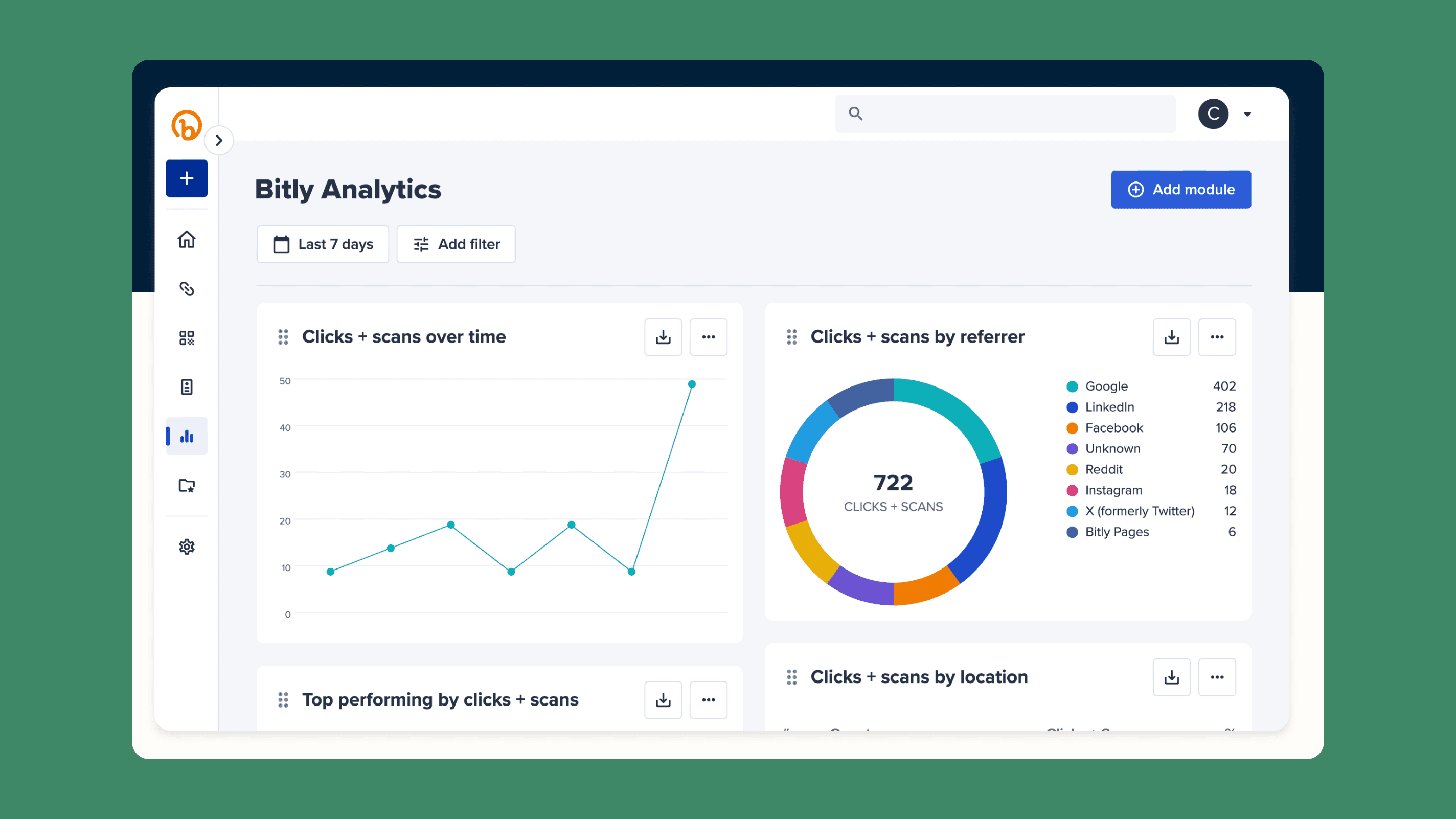
Bitly, the more analytics-rich URL shortener, keeps no click history on Free, 30 days on Core, 120 days on Growth, one year on Premium and two years on Enterprise. Core shows only your top 10 countries. city level data and device data start on Premium at $199/month, and data export starts on Growth.
Bitly tracks over 20 data points for link analytics, so it is strongest when link performance and campaign performance matter more than low-cost branding. Its reporting also fits well with broader marketing tools, including marketing automation and CRM workflows.
In practice, a Growth customer planning this year's spring campaign can no longer see last spring's results in Bitly. You need to export data before the 120-day window closes.
Rebrandly

Every Rebrandly plan shows a total click count. Detailed engagement data covers 100 clicks a month on Free, 10,000 on Essentials, 25,000 on Professional and 150,000 on Growth, and you can buy more as an add-on. Unique clicks and device type start on Essentials. City and referrer data start on Professional.
Treat third-party figures with care here. Rebrandly's own January comparison lists 50,000 clicks on Growth, while its current pricing page lists 150,000. We used the pricing page.
In practice, one post that takes off can use up a month of detailed data on a smaller plan.
ShortPen handles this differently: it tracks every click on every plan with no volume cap, and keeps unlimited analytics history from the Plus plan ($23/month billed yearly). The free plan shows the last 30 days.
Link management, editing, and traffic routing
Editing a link after you share it is the main reason to use a dynamic link. It lets you fix a typo on a printed flyer or point last month's QR code at this month's offer. Both tools meter it:
Bitly: 5 destination changes a month on Core, 20 on Growth and 110 on Premium. None on Free.
Rebrandly: 10 a month on Essentials, 50 on Professional and 150 on Growth, with extra edits sold as an add-on. None on Free. QR code destinations come with the same allowance.
Traffic routing sends visitors to different pages based on who they are. Bitly Growth routes by country and platform, and Premium adds region and device. Rebrandly adds routing on Professional, and Growth adds mobile deep linking. Some older comparisons, including Rebrandly's, say Bitly has no dynamic routing. Bitly's current pricing page lists it from Growth.
ShortPen does not meter edits. Link and QR code destinations can be changed on every plan, including Free, and the pricing page lists no monthly edit count.
Conversion tracking

Clicks tell you who arrived. Conversion tracking tells you who signed up or bought something after the click. In 2026 the two tools differ most on this feature.
Bitly does not offer it natively. Its own comparison page says Bitly does "not track purchases, form fills, or other off-platform conversions," and points users to integrations instead.
Rebrandly now offers conversion tracking on Professional and higher plans. You add a JavaScript snippet to your site, and Rebrandly records actions from visitors who arrived through a Rebrandly link. Conversion data stays visible for 6 months on Professional, one year on Growth and two years on Enterprise.
With ShortPen, you install the ShortPen Pixel once, as a code snippet or through the Shopify app, then create events from the dashboard.
An event can fire when a visitor reaches a URL such as /thank-you, or from a line of code for actions like a form submission. On Shopify, Add to Cart, Checkout and Purchase are mapped automatically.
The free plan includes 100 conversions a month and Plus includes 10,000.
API, integrations, and team access
Bitly counts API requests per month: 1,000 on Free, 5,000 on Core, 25,000 on Growth and 50,000 on Premium. Webhooks and multiple users only arrive on Enterprise, so every self-serve Bitly plan is a single-seat account. Integrations include HubSpot, Salesforce and Zapier, which can feed internal tools or broader marketing workflows.
Rebrandly counts API calls per minute: 100 on Free, 300 on Essentials, 600 on Professional and 1,000 on Growth. Rebrandly says Enterprise handles up to 100,000 calls per second, a vendor figure without a public benchmark. You get one webhook on Professional and five on Growth. Workspaces and teammates start at 2 on Professional and 5 on Growth, with more available as add-ons, and Rebrandly also offers team workspaces with granular permissions for collaboration so teams can manage and share links more cleanly.
Both platforms hold SOC 2 Type II certification. Rebrandly also lists HIPAA compliance, which matters for healthcare teams sending links to patients.
If you mainly need API access, ShortPen's free plan includes 200 calls a month so you can test the API. Plus and Scale have unlimited calls, and webhooks come with paid plans.
Reviews and reputation
The ratings depend on where you look. On Trustpilot, Rebrandly scores 3.0 and Bitly 2.3, according to figures Rebrandly published in its comparison. On Capterra, Bitly holds 4.8 from 1,295 reviews and Rebrandly 4.6 from 58.
The complaints are more useful than the scores. Bitly's criticism centers on its free plan and pricing. Zapier's 2026 roundup of URL shorteners calls the free plan "now truly terrible," citing the 5-link limit and the ads. Rebrandly's criticism centers on plan changes: one Capterra reviewer wrote that the company has "consistently downgraded the account tiers, making this service much more expensive."
Before you commit, read the recent one- and two-star reviews for both tools and check which complaints match how you plan to use them.
Bitly or Rebrandly: which should you choose?
Match the tool to the job you need it for most.
If you are... | Pick | Why |
|---|---|---|
A solo creator on a budget | Rebrandly | Free |
An agency with several brands | Rebrandly | 3 domains and 2 workspaces on Professional, 10 domains on Growth |
Running retail, event or print QR campaigns | Bitly | Better QR design, landing pages, clicks and scans in one view (watch the 10 codes a month on Growth) |
Sending SMS or creating links by API | Rebrandly | Per-minute API limits and a dedicated High Volume plan |
A healthcare or regulated team | Rebrandly | HIPAA compliance listed on its pricing page |
A team that needs conversion data | Rebrandly | Native conversion tracking from Professional |
For most small teams, Rebrandly gives more for the money. Bitly earns its price when QR codes and landing pages sit at the center of your campaigns and you can live with the caps or pay for Premium.
Limits Bitly and Rebrandly share
Choose either tool and you will run into the same kinds of limits:
Monthly creation caps. Every self-serve plan limits how many links and QR codes you can create each month.
Metered destination edits. Changing where a link points counts against a monthly allowance on both.
Rationed analytics. Bitly cuts history and Rebrandly cuts detail. City and device data sit on higher tiers in both.
Few seats. Bitly has no teammates below Enterprise. Rebrandly starts at 2 on Professional.
API and webhooks tied to tier. Higher quotas and webhooks come with higher plans.
Big jumps between tiers. Bitly goes from $29 to $199 a month. Rebrandly goes from $22 to $69 (annual billing).
These caps are how both companies move customers up their pricing ladders. If your campaigns grow faster than your budget, you will feel them within a few months.
An alternative without monthly caps: ShortPen

Full disclosure: ShortPen is our product. We built it for teams that keep running into the limits above.
Limit | Bitly / Rebrandly | ShortPen |
|---|---|---|
Links and QR codes | Monthly caps on every plan | Unlimited on every plan, including Free |
Tracked clicks | History cap (Bitly) or detail cap (Rebrandly) | Unlimited tracked clicks on every plan |
Destination edits | 5 to 150 a month | Editable links and QR codes on every plan, with no monthly edit count |
Analytics history | 30 days to 2 years (Bitly) | Unlimited from Plus |
Custom domains | Bitly from $29/month | 1 on Free, 3 on Plus with a free |
Conversions | None (Bitly), Professional and up (Rebrandly) | ShortPen Pixel: 100 a month on Free, 10,000 on Plus |
Team | 1 seat (Bitly), 2 on Professional (Rebrandly) | Plus: 4 workspaces and 2 users. Scale: 10 and 5. Unlimited folders and tags |
API | Tiered quotas | 200 calls a month on Free for testing, unlimited on Plus and Scale, webhooks on paid plans |
Ads on free links | Bitly shows an ad preview | None |
Every ShortPen QR code is dynamic, and changing its destination does not reset its analytics. Scans and clicks are logged separately, so you can tell print traffic from digital traffic.
There are trade-offs. The free plan keeps 30 days of history and shows only the top two rows of each breakdown (country, device, referrer and so on). Full breakdowns and unlimited history start on Plus.
Switching is simple. ShortPen has import tools for Bitly and Rebrandly links, and on paid plans the team will migrate larger setups manually. You can start on the free plan, or try Plus ($23/month billed yearly) or Scale ($55/month billed yearly) with a 14-day trial.
FAQ
Is Rebrandly better than Bitly?
For most small teams, yes. Rebrandly gives you more links, more QR codes, more custom domains and native conversion tracking at a lower price. Bitly is the better fit if you want landing pages and QR code reporting in one dashboard.
Is Rebrandly cheaper than Bitly?
Yes, for branded links. Rebrandly includes a .bio domain on its free plan and two custom domains on Essentials at $8/month (annual). Bitly's first plan with a custom domain is Growth at $29/month (annual).
Does Bitly's free plan include a custom domain?
No. Bitly's free plan uses the bit.ly domain only. You need the Growth plan ($29/month annual, $35 monthly) to connect one complimentary custom domain.
Why are there ads on my Bitly links?
Bitly shows a preview page, which may include an ad, on links and QR codes created on its free plan. According to Bitly's support center, the only way to remove it is to upgrade to a paid plan.
Can you edit a Bitly or Rebrandly link after sharing it?
Yes, on paid plans, within a monthly limit. Bitly allows 5 to 110 destination changes a month depending on the plan. Rebrandly allows 10 to 150. Neither free plan lets you change a destination.
How long does Bitly keep click data?
Bitly keeps click history for 30 days on Core, 120 days on Growth, one year on Premium and two years on Enterprise. The free plan has no click history.
Can Bitly or Rebrandly track conversions?
Rebrandly can, on Professional and higher plans, using a JavaScript snippet on your site. Bitly does not track off-platform conversions natively and relies on integrations.
Is there an alternative to Bitly and Rebrandly with unlimited links?
Yes. ShortPen includes unlimited links, dynamic QR codes and tracked clicks on every plan, including the free plan. It also adds post-click conversion tracking through the ShortPen Pixel, with 100 conversions a month free.
Conclusion
In the Bitly vs Rebrandly decision, Rebrandly wins on price, custom domains, team access and conversion tracking. Bitly wins when QR codes and landing pages drive your campaigns and you are willing to pay for Premium to get past the caps.
Start with the limit that will hurt you most: links per month, destination edits, analytics history or seats. If the answer is "all of them," create a free ShortPen account and test unlimited links and click tracking on your next campaign.
Branded links and QR codes you can edit after printing
Conversions tied to the exact link or QR code, from your website or store online
Workspaces, custom domains and full analytics history as your team grows
Ready to make every click count?
Simplify your link management, gain valuable insights, and take control of your online presence. Your journey to better links starts here.