10 Best Free Link Shortener Options in 2026 (Really FREE)
Last updated:
ShortPen University

LucaG is the co-founder of ShortPen. Before that, he built Guadagnissimo from scratch, a personal finance blog that reached hundreds of thousands of readers per year and was later acquired. That experience is where he learned SEO and marketing attribution hands-on. He also runs NTSOT, a newsletter on tools for work and life. His background spans product design, growth, and building online businesses.
Show more
The best free link shortener for ongoing use is ShortPen (our product). The free plan includes unlimited links and tracked clicks, one custom domain, and no ads on your links. is.gd and TinyURL are the picks for a one-off link with no signup. Short.io's free plan gives you five custom domains with a 1,000-link cap. Bitly's allows 5 links a month.
In the ever-evolving digital landscape, the need to simplify links while gaining insight into click behavior has never been greater.
URL shortening helps you create memorable links by turning long, complex URLs into shortened URL that is easier to share, manage, and track across platforms.
Whether you’re sharing on social media, launching a marketing campaign, or organizing internal documentation, a good link shortener makes your URLs look professional and trackable.
But with so many platforms locking critical features behind paywalls, finding a genuinely free tool can be a challenge.
That’s why we’ve compiled this list of the best free link shorteners, tools that aren’t just free to try, but offer meaningful functionality with zero cost.
We’ve reviewed their features, limitations, and ideal use cases to help you pick the best one for your needs, whether you’re a solo creator, a growing business, or an SaaS product manager.
What Are Link Shorteners & Why Use Them?

Link shorteners convert long, unwieldy URLs into compact, shareable links. They make posts and messages look cleaner (which is important on character-limited platforms) and help build trust. A short branded link feels safer than a random long URL.
Crucially, modern shorteners also turn every click into data: you can track where and how people click your links.
According to industry analyses, “a good link shortener is as much about aesthetics as performance tracking”.
In practice, today’s tools often include custom domains, detailed click analytics, QR code generation for offline use, and other advanced features.
This guide walks through the top ten free URL shorteners, tools that offer no-cost plans useful for marketers, creators, and teams, and explains how to choose the right one.
How URL Shorteners Work
URL shorteners are powerful online tools that transform long, cumbersome URLs into concise, easy-to-share links.
When you use a url shortener, the service stores your original url in its database and generates a unique, shortened link, often just a few characters long.
Clicking this shortened link instantly redirects users to the original destination, making the process seamless for both the creator and the audience.
Many url shorteners go beyond basic shortening. They allow you to use custom domains, so your links reflect your brand rather than a generic service. This not only makes your links more memorable but also builds trust with your audience.
Additionally, most modern url shortener tools offer link tracking, so you can monitor how your links perform across different channels.
Shortened links are handy for sharing on social media, where character limits matter, or in emails and printed materials, where a long url can look messy or be hard to type.
Some url shorteners even let you instantly generate a QR code for each link, making it easy to bridge the gap between offline and online marketing.
Whether you’re managing many url shorteners for different campaigns or just need a free url for a quick share, these tools make your links cleaner, more effective, and easier to manage.
What is the Best Free Link Shortener?
1. ShortPen
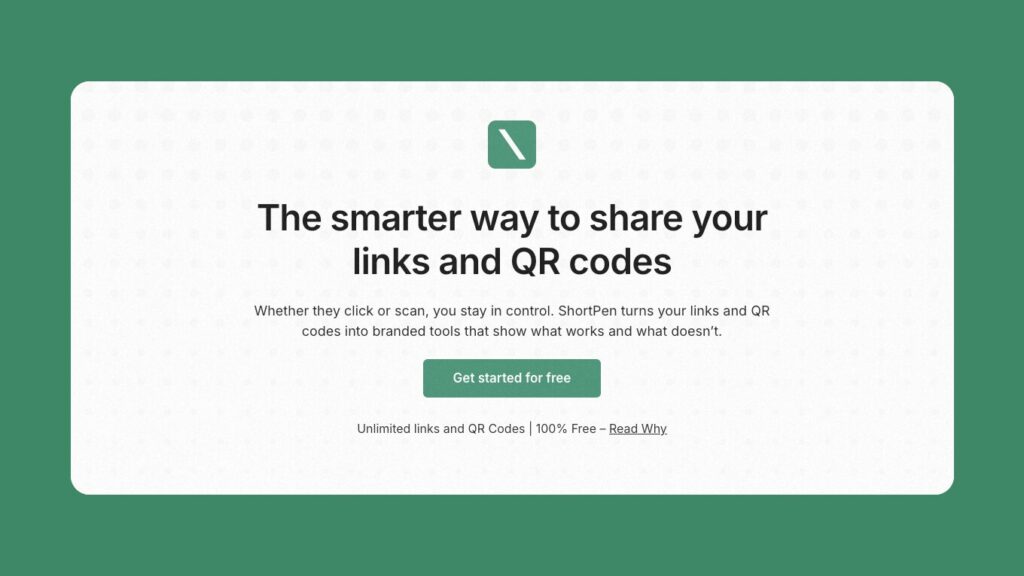
ShortPen is a modern, feature-packed URL shortener aimed at marketers and teams. With ShortPen, you can easily shorten links and generate short links for your campaigns, making it simple to share and manage branded URLs across all your marketing channels.
It lets you shorten, brand, organize, and track links with no limits on volume, even on the free plan, so you can create more links than on other platforms.
In practice, ShortPen offers unlimited shortened URLs and QR codes at no charge. Key features include advanced analytics (clicks, geography, device, referrer) plus conversion/event tracking (monitor sign-ups or purchases after clicks), with all clicks tracked for reliable insights.
The interface is clean and intuitive, so you can shorten and brand your first link in under a minute.
Other highlights: workspace/folder organization, a powerful REST API for automations, editable slugs, link expiration/password protection, and full GDPR compliance with EU-based hosting.
Free Plan: 1 workspace, 1 user, unlimited links & clicks, 1 custom domain. Create more links than most competitors, with no hidden caps.
Paid Plans: Start at $23/mo. Each paid plan offers additional features for power users, including more workspaces/users, API access, and Advanced Analytics.
Why It’s Noteworthy: Truly unlimited free usage, full analytics and event tracking baked in, plus EU privacy compliance.
Website: shortpen.com
2. is.gd

is.gd is a useful tool for quickly shortening a long link. It simply takes any long URL (up to 5000 characters) and returns a compact link that redirects permanently to the original.
No signup or payment is required. Every feature is free.
You can even choose a custom alias for the short link (within length rules) and generate a QR code for it.
Basic click logging is supported: you can enable stats for each link and view simple click counts, but there are no fancy dashboards or branding options.
Importantly, is.gd ensures your shortened URLs last indefinitely (subject to terms).
Free Plan: Unlimited shortening and clicks, no account needed (but you can register to manage links).
Paid Plans: None, the entire service is free.
Key Drawbacks: Minimal analytics (must opt-in per link) and no custom domain or branding. Suitable for quick, on-the-fly link shortening.
Website: is.gd
3. TinyURL

TinyURL is the original URL shortener (launched in 2002) and is still a popular choice for basic needs, with a long history of shortening links for users.
It offers unlimited free shortening and supports custom aliases even without an account.
Its analytics are fundamental but functional: you can view real-time click counts, geographic breakdown, and device stats via a simple dashboard.
Free users get unlimited links and clicks, but custom domains and longer data retention (over 30 days) require a paid upgrade.
Paid plans (starting at $12.99/mo) add features such as one custom domain, 2-year analytics history, and bulk API requests.
Free Plan: Unlimited shortened URLs, custom alias support, basic stats on recent clicks.
Paid Plans: Pro at $12.99/mo (500 links, 1 domain, 2 years history), higher tiers for bulk needs.
Unique Aspects: Very mature, stable service. No signup needed for unlimited links. Suitable for simple, trusted shortening with quick results.
Website: tinyurl.com
4. Tiny.cc
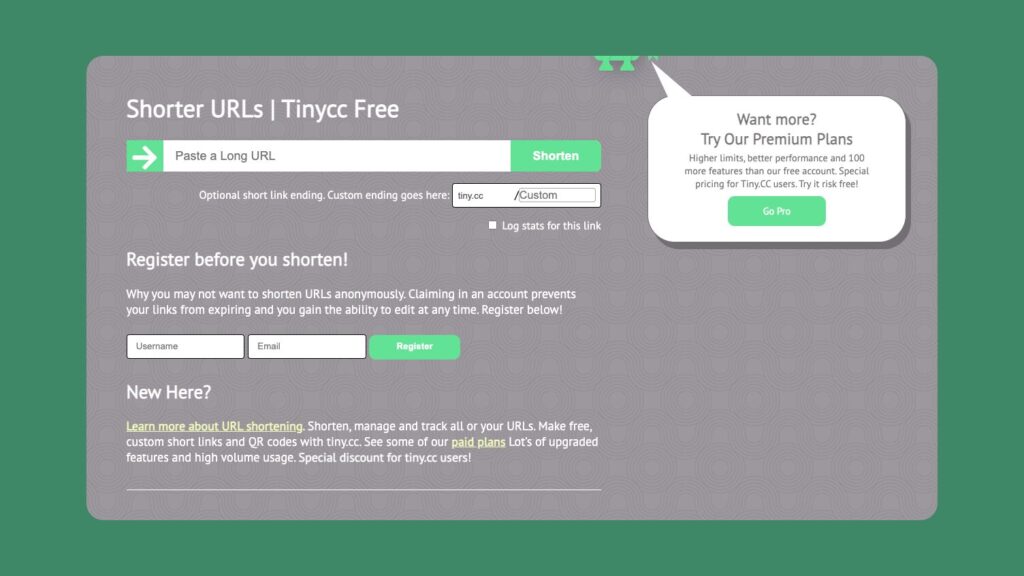
Tiny.cc provides a straightforward, minimalist link-shortening service (and its app URL even shows “tiny.cc” branding).
It covers the basics: shorten URLs to tiny.cc, option to set a password or expiration, and see basic click statistics. Users can create custom back-half slugs and QR codes for any link.
Analytics include geographic and device data, though they are more fully available in paid plans. There are also developer-friendly features, such as a public API.
Free Plan: 5 links per month (with basic stats only), no custom aliases (you get random hashes unless logged in).
Paid Plans: Basic plan ~$5/mo for 300 links (custom slugs, detailed analytics, 30-day click history). Premium tiers unlock thousands of links and features.
Key Features: Simple dashboard, supports QR codes, team collaboration, and password protection on higher tiers.
Website: tiny.cc
5. ShortURL.at (by NameSilo)

ShortURL.at (powered by NameSilo) is a completely free link shortener. It lets you paste a long URL and instantly get a shortened url in the form of shorturl.at/xyz. Every shortened link is HTTPS-secured, and the site promises reliable uptime.
You can also view how many times each link was clicked via its basic counter.
There’s no usage limit disclosed: you can shorten as many links as you like for free. ShortURL is very simple (no registration needed for basic use), though if you sign up you can edit links later.
For advanced needs, NameSilo offers a paid platform (“Compact.Link”) with custom domains, analytics dashboards, API and QR codes.
Free Plan: Unlimited shortening and click tracking with no account required.
Paid Plans: (via Compact.Link) for features like vanity domains, detailed stats, and bulk operations.
Notable: Spam/malicious links are filtered out automatically. This tool is ideal if you need a quick, no-cost short link with basic stats.
Website: shorturl.at
6. Short.io

Short.io (formerly Short.cm) is a custom-domain link shortener offering advanced features at a modest price.
It’s especially well-suited for small teams and enterprises.
Key features include branded URLs on your own domains (no DNS changes needed), per-click analytics (status code, referrer, location, device, etc.) for every short link, and support for deep links to send users directly to specific app content or sections for advanced app and content targeting.
Short.io also provides a built-in UTM parameter builder, geotargeting and device-based redirects, link expiration/password protection, QR code generation, bulk CSV import, and a REST API for automation.
Free Plan: $0. Includes up to 5 custom domains, unlimited branded links (up to 1,000 new links and 50,000 tracked clicks per month), and 30-day click history.
Paid Plans: Personal $20/mo (10 domains, unlimited links, 200 conversions/month); Team $50/mo; higher tiers for large scale.
Why It Stands Out: Balanced mix of affordability and enterprise-grade features, you get custom domains even on the free tier, plus granular clickstream data.
Website: short.io
7. Cutt.ly

Cutt.ly is a full-featured link management platform. It lets you create branded short links, track them with “advanced analytics,” generate custom QR codes, and even build link-in-bio pages or run polls and surveys, all from one dashboard.
Link options include custom slugs, UTM tagging, A/B split testing, deep mobile redirects, password protection, and expiration dates. The interface is user-friendly, showing click metrics in real time.
Free Plan: $0. Up to 30 new shortened URLs per month, three custom back-half URLs, 1 custom domain, 30-day stats, and one QR code design. (Free tier does show an ad page on redirects.)
Paid Plans: Starter $12/mo (300 links), Single $25/mo (5,000 links, unlimited custom aliases, 365-day stats, editable links, bulk import). Higher plans add team collaboration and large link volumes.
Features: Cutt.ly includes built-in tools beyond just shortening, e.g., you can design a “Link in Bio” microsite, run visitor surveys, and create completely customized QR codes.
Website: cutt.ly
8. Surl.li (SURL)

Surl.li is a free link shortener focused on readable, brandable links for social media, and is optimized for use on any social media platform.
It lets anyone create links on the surl.li domain (and you can even use custom subdomains). For example, you can choose a short slug on the surl.li domain or spin up your own personal short domain under.
Crucially, Suri.li provides click statistics for every link. It even supports wrapping UTM tags, pixels or referral parameters into each short URL automatically, so you get full tracking on every social post or QR code.
Free Plan: $0. Up to 30 new short links per month, zero alias updates, three link destination edits, 30-day stats. (The free redirects include Surli’s ad page by default.)
Paid Plans: “Start” $9/mo (300 links, 30-day stats, removes ads, includes API and bulk shortener). Higher tiers ($19, $39) offer thousands of links and a longer history.
Highlights: Surl.li automatically generates a user-friendly click report for each link. Its focus on brevity helps with QR code readability. Surl.li also improves the appearance and tracking of social media posts, making your links more engaging and effective across any social media platform. However, the free tier is quite limited in volume and forces an ad screen.
Website: surl.li
9. Rebrandly
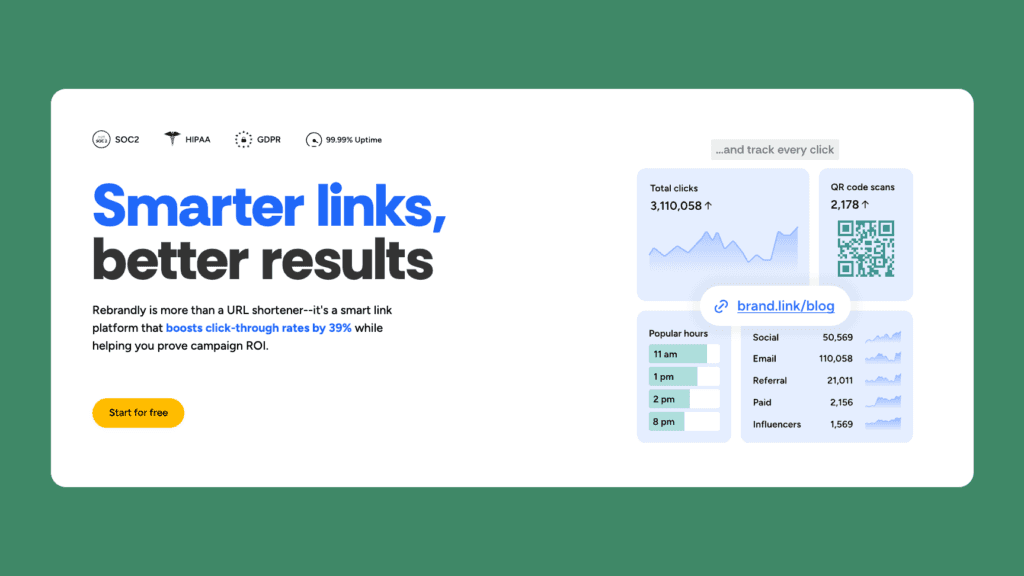
Rebrandly is a leading branded link management platform for marketers and agencies. It specializes in turning every URL into a marketing asset by allowing users to create links with their own branded domain and customized back-half slugs.
Key features include team workspaces, deep analytics (referrers, locations, UTM-builder), bulk link creation (CSV import), and a robust API. Paid plans add enterprise controls like SSO, permissioning, and dedicated support.
Free Plan: $0. Allows up to 10 branded links per month, 1 custom domain, 1 user seat. (Data retention on the free plan is limited.)
Paid Plans: Essentials $13/mo (250 links, 1 domain); Professional $32 (1,500 links, three domains); Growth $99 (3,500 links).
Why It’s Noteworthy: Rebrandly excels at custom branding. Every link reinforces your branded domain, boosting brand recognition and enhancing brand visibility. The free plan is very limited in volume, but paid tiers are scalable and include advanced analytics and integrations.
Website: rebrandly.com
10. Bitly

Bitly is one of the most recognized URL shorteners and a leader in url shortening, popular with both individuals and businesses. It offers an elementary free tier but also powers a full link-management platform.
Features on the business side include custom back-halves (either on bit.ly or your domain), real-time dashboards, QR code generation, link editing (redirect updates), UTM tagging, and an API with webhooks. Bitly also provides a link-in-bio page builder and data exporting tools.
Free Plan: $0. Only 5 custom links per month, 2 QR codes, 30-day click data retention, 1 domain (bit.ly). Note: Bitly’s free links now include an advertisement banner.
Paid Plans: Core $10/mo (100 links); Growth $29/mo (500 links); Premium $199/mo (3,000 links); Enterprise custom. Higher plans add increased link volume, custom domains, and longer data history.
Key Points: Bitly is quick and easy to use, with a friendly interface. However, the free tier is very limited in links and analytics, and Bitly now shows ads on free links. It’s best for very light use or getting started.
Website: bitly.com
Key Features of a Good Link Shortener
A quality URL shortener tool should be more than just a text compressor. Look for these core capabilities, including a short link generator for fast, customizable link creation:
Analytics & Reporting. Detailed click statistics are a must. The best shorteners track not just total clicks but also device type, location, referrer, time, etc., helping you understand who’s clicking and where they came from. For example, leading tools break down link engagement by geography and source so you can optimize campaigns quickly and track link analytics for deeper marketing insights.
Branded Domains & Custom Slugs. To build brand trust, you want the option to use your own domain or subdomain and create meaningful slugs. A custom URL shortener lets you create branded, customizable links by replacing the default shortener domain with one you own and setting custom back-halves on your links. This ensures links reflect your brand (e.g., go.yoursite.com/offer) rather than a generic service URL.
UTM & Campaign Integration. Many shorteners include UTM parameter builders or integrate with analytics tools. This makes it easy to append campaign tags to every link, ensuring traffic is properly attributed in Google Analytics and other platforms.
Link Control. Look for features such as password protection, link expiration dates, or click limits for added security. The ability to edit a link’s destination or slug after creation is also beneficial for fixing typos or reusing links without breaking campaigns.
Bulk & API Access. If you need to shorten many URLs at once or integrate link creation into other tools, an API or bulk-import feature is essential. Platforms like ShortPen and Short.io, for example, offer REST APIs that allow developers to automate link generation and event tracking, and ensure compatibility with existing tools and workflows.
QR Code Generation. For print or in-person campaigns, the ability to generate QR codes for each short link is a big plus. Top services automatically generate editable, branded QR codes for every link, with built-in scan analytics, making QR code generation a seamless part of a comprehensive link management suite.
Team & Organization Tools. If you work with others, support for multiple users, workspaces, or folders can keep links organized. Features like user roles and link sharing are helpful for agencies or multi-brand teams.
Privacy & Compliance. Check where your data is stored. For EU businesses, a GDPR-compliant, EU-hosted service can avoid legal issues. ShortPen, for example, keeps all link data on EU servers by default.
How to Choose the Right Link Shortener
With dozens of shorteners available, focus on what matters for your use case:
Volume & Limits. How many links and clicks do you need? ShortPen stands out by offering unlimited links, clicks, and QR codes even on its free plan, whereas many competitors cap usage. For example, Tiny.cc’s free tier only allows ~5 links per month. Y.gy, Bitly’s free plan is limited to 5 links total. If you have hefty usage, a truly unlimited free account (like ShortPen’s) can be a big advantage. Upgrading from a free account to a paid plan on most platforms often allows you to create more links and access advanced features.
Analytics Depth. Compare what data is included. ShortPen and others let you track post-click events (purchases, sign-ups, etc.) for free, while basic services may only show raw click counts. Also note how long data is retained: Bitly’s free plan keeps data for just 30 days, but ShortPen retains data indefinitely.
Branding Needs. If branding is key, check whether custom domain support is available. ShortPen’s free tier includes one custom domain. Short.io’s free plan even includes up to 5 of your domains. By contrast, TinyURL only offers custom domains on paid plans.
Ease of Use. Consider your comfort level. Some tools (Bitly, TinyURL) require no account and are extremely simple. Others offer feature-rich dashboards that may take a few minutes to learn. ShortPen, for instance, advertises a “clean dashboard” that lets you shorten your first link in under 60 seconds.
Integration & API. If you want automation, ensure an API is available. ShortPen has a robust REST API (available even on paid plans) and is designed to work seamlessly with your existing tools and workflows. Short.io, Rebrandly, and others also provide APIs, whereas minimal tools like is.gd offer only a fundamental API.
Privacy & Ads: Check if free plans inject ads or trackers. Note that Bitly’s free links now display an ad banner, something to be aware of.
Support & Limits. Finally, review pricing and support. Some services offer no support for free users, while others have community forums. Read the fine print on limits like click caps or link expiration. For example, Tiny.cc’s free links expire if you don’t register.
By weighing factors like analytics depth, volume limits, custom branding, and privacy, you can choose the best free shortener for your needs.
FAQ
What exactly is a link shortener?
A link shortener is an online service that takes a long link (a lengthy, unwieldy URL) and turns it into a shorter redirect link using a URL shortener tool. This makes links more readable and shareable (especially on social media) and also lets you track how many people click the link. The shortened link automatically redirects users to the destination URL, which is the original address you want them to visit, while collecting analytics behind the scenes.
Are these services really free?
All the tools listed have a free tier, but features vary. For example, ShortPen and is.gd offers their core service at no cost (ShortPen with unlimited links, is.gd fully free). Others impose caps: Tiny.cc’s free plan limits you to ~5 links/month, and Bitly limits you to 5 links total. Free plans usually include basic analytics; for more volume or advanced features, you may need to upgrade. Always check each plan’s limits.
Can I track link clicks with a free plan?
Yes. Most shorteners provide at least basic click stats on their free tier. For instance, TinyURL’s free links come with instant click counts and simple dashboards. ShortPen’s free plan tracks unlimited clicks and even custom conversion events. Surl.li and ShortURL also show click totals and location data for each link. Just note that some (like Bitly free) keep data for a limited time (30 days).
Can I use my own domain in a free link shortener?
It depends on the tool. ShortPen’s free plan lets you add one custom domain immediately, free of charge. Short.io’s free tier even supports up to 5 custom domains. Rebrandly also allows one domain on the free plan. In contrast, TinyURL and Bitly require a paid account to use a custom domain.
How do I decide which shortener fits my needs?
Consider what matters most: if you need unlimited links and data, ShortPen is a top choice (it offers unlimited tracking for free). If branding is critical, look at custom-domain support (Rebrandly, Short.io). If you just want simplicity with no account, is.gd or TinyURL can do the job. For team collaboration or advanced marketing, ShortPen, Cutt.ly, or paid tiers of Rebrandly/Short.io give more power. Also, think about API integration, data retention, and privacy.
Ready to Get Started?
Free link shorteners can be extremely powerful for your marketing.
If you want a truly zero-cost solution with all the premium features, ShortPen is a smart choice: you get unlimited short links and QR codes, real-time analytics, conversion tracking, and GDPR-compliant hosting, all with a user-friendly dashboard.
No credit card is needed to start, and you won’t hit hidden caps when your audience grows.
Try ShortPen today (it’s free to sign up) and turn every link into a growth driver for your business.
Ready to make every click count?
Simplify your link management, gain valuable insights, and take control of your online presence. Your journey to better links starts here.