vs
ShortPen vs Bitly: Which one should you use?
Stop paying for monthly caps. Create links and QR codes freely, upgrade only when your business is growing.
Everything you need to decide, in 60 seconds
Compare the limits that slow you down, the tracking that proves ROI, and the setup that determines how fast you can switch.
Import your Bitly links automatically
Bring your existing link library into ShortPen, keep it organized, and start measuring with better analytics right away.
1. Connect your Bitly account
Pull your link library into ShortPen without copying and pasting
2.498
2. Bring over what matters
Import the links you still use, and leave old experiments behind

3. Start tracking immediately
See clicks and scans right away, then add conversion tracking when you want deeper attribution
The difference you feel after week one
Less busywork, clearer reporting, and tracking that shows what actually moved the needle.
Create without caps, scale when tracking grows
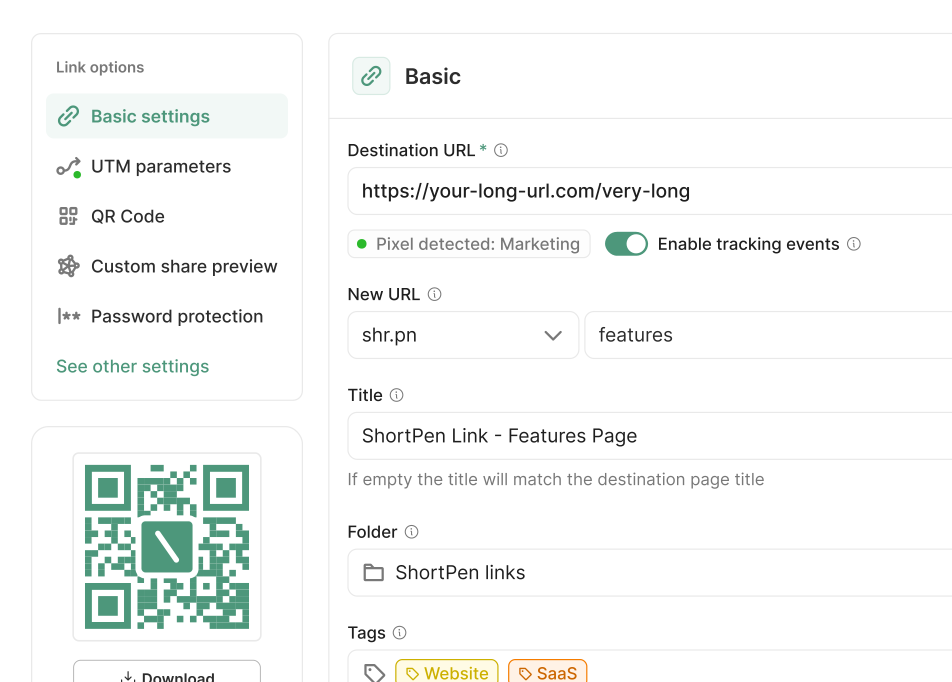
Stop thinking in monthly caps. Create links and QR codes as you work, then upgrade only when your business is growing.
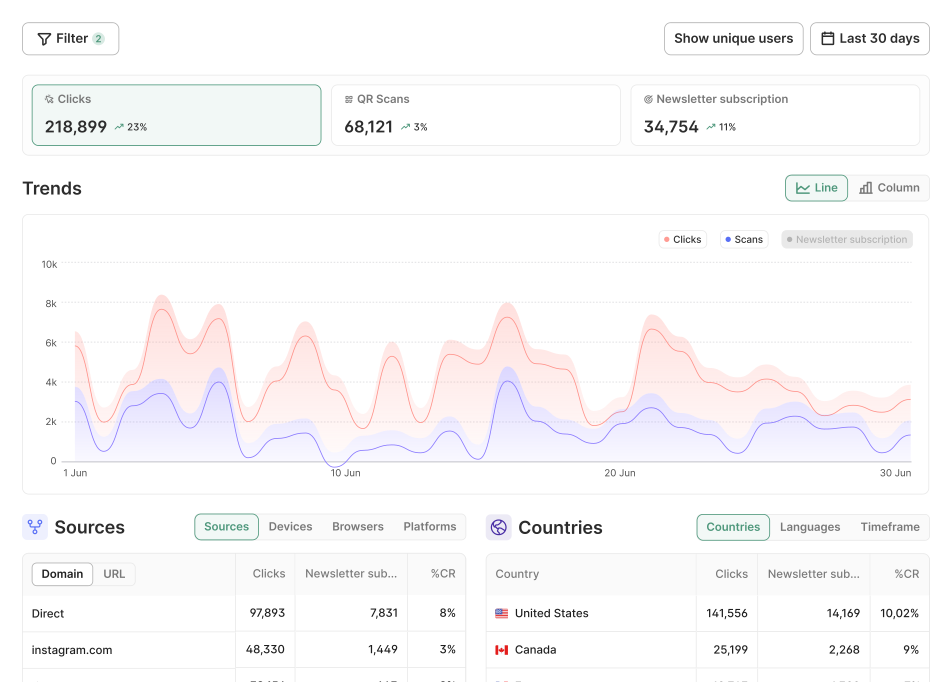
Track outcomes after the click
Tie signups, purchases, and key actions to the exact link or QR that started the journey, so you can measure ROI by channel and campaign.
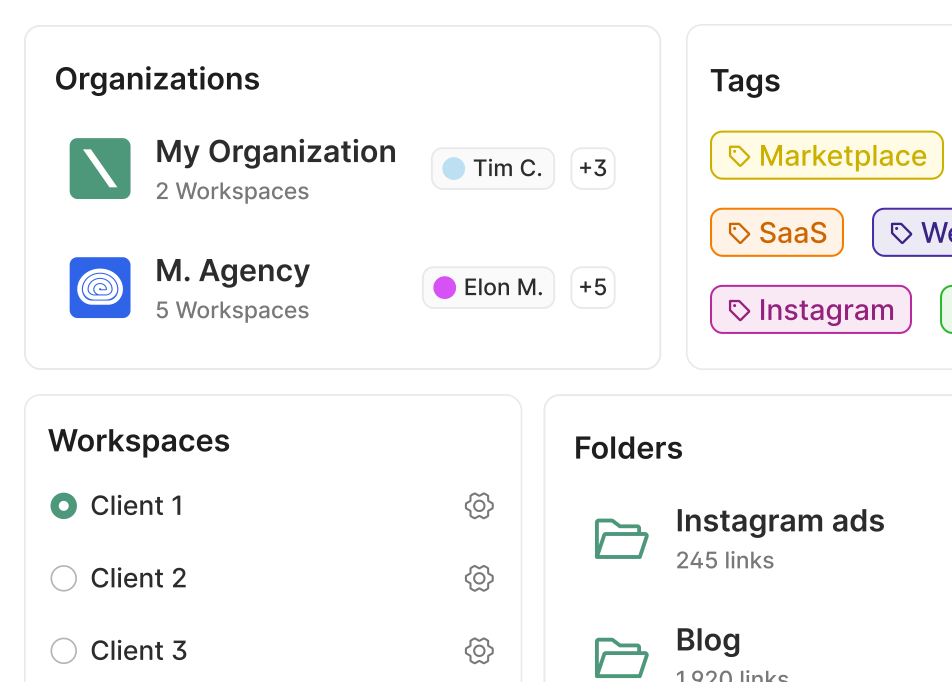
Organize at scale
Use workspaces, folders, and tags to avoid messy reporting, keep ownership clear, and move faster across projects.
Questions before you switch from Bitly
Quick answers on migration, tracking, and what changes when you start using ShortPen.
Can I import my Bitly links into ShortPen?
Will my existing Bitly links keep working?
Do I need to install anything to start using ShortPen analytics?
What’s the difference between clicks and conversions in ShortPen?
Is ShortPen a good fit for teams or agencies managing multiple clients?
Ready to make every click count?
Simplify your link management, gain valuable insights, and take control of your online presence. Your journey to better links starts here.