7 Best QR Code Generator Platforms for 2026 (Analyzed)
Last updated:
ShortPen University

LucaG is the co-founder of ShortPen. Before that, he built Guadagnissimo from scratch, a personal finance blog that reached hundreds of thousands of readers per year and was later acquired. That experience is where he learned SEO and marketing attribution hands-on. He also runs NTSOT, a newsletter on tools for work and life. His background spans product design, growth, and building online businesses.
Show more
The best QR code generator depends on whether you need to track scans. For dynamic, trackable codes, ShortPen (our product) includes unlimited QR codes with scan analytics on its free plan. For static codes, QR Code Monkey is free and customizable. Uniqode fits enterprise campaigns, and QR.io fits teams that want landing pages and advanced analytics.
In today's rapidly evolving digital landscape, QR codes have become an essential bridge between offline and online experiences.
What started as a tool for automotive inventory tracking in 1994 has transformed into one of the most versatile marketing and communication tools available to businesses and individuals alike.
With QR code scans reaching 41.77 million in 2025, a staggering 433% increase over the past four years, the demand for reliable QR code generators has never been higher.
Whether you're a small business owner looking to create contactless menus, a marketer designing interactive campaigns, or an entrepreneur building brand awareness, finding the right QR code generator can make all the difference in your success.
This comprehensive guide will walk you through everything you need to know about QR code generators, including our top 7 picks, so you can make an informed decision that aligns with your specific needs and goals.
What is a QR Code Generator?
A QR code generator is an online software tool that allows users to create custom QR codes by entering specific information they want to encode.
Think of it as a digital translator that converts your data, whether it's a website URL, contact information, text, or multimedia content, into a scannable square pattern that smartphones and other devices can instantly read and interpret.
These powerful tools have evolved far beyond simple code creation.
Modern QR code generators offer a comprehensive suite of features, including customization options, analytics tracking, bulk generation capabilities, and integration with existing business systems.
Users can download their generated codes in various formats such as PNG, JPG, SVG, and EPS, making them suitable for both digital and print applications.
The Two Types of QR Codes
Understanding the fundamental difference between static and dynamic QR codes is crucial when selecting a generator:
Static QR Codes store information directly within the code itself. Once created, the content cannot be changed or edited. These codes are permanent and don't require an internet connection to function, making them ideal for simple applications like sharing contact information or permanent website URLs. However, they offer no tracking capabilities and require creating entirely new codes for any content updates.
Dynamic QR Codes use a different approach; they contain a short redirect URL that leads to your actual content. This architecture enables two game-changing features: editability and tracking. You can update the destination content anytime without reprinting the code, and you gain access to valuable analytics including scan counts, geographic locations, device types, and timestamps. Dynamic codes typically appear less dense and are easier to scan, even when shrunk to smaller sizes.
7 Best QR Code Generators
Below, we review seven of the best QR code generators, highlighting what each offers in terms of static vs dynamic QR codes, customization, analytics, and pricing.
ShortPen, our platform, is featured first because it provides a compelling solution for dynamic QR codes, including link management and tracking.
We then cover other popular tools, such as QR Code Monkey and Uniqode, among others.
Let’s explore each:
1. ShortPen
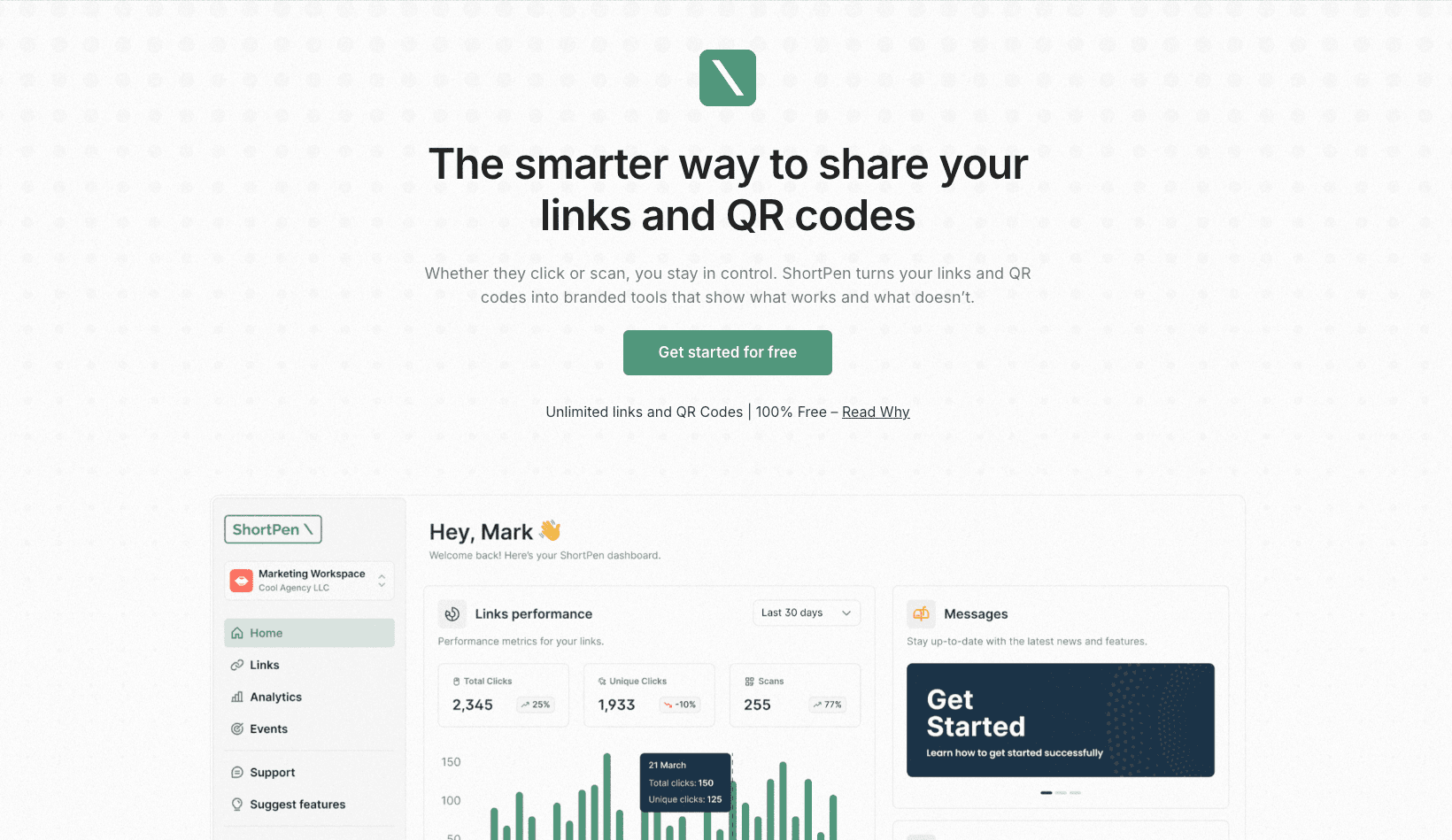
ShortPen stands out as a sophisticated yet user-friendly platform that integrates powerful link management with comprehensive QR code capabilities.
It’s an exceptional choice for marketers, businesses, and creators who want to go beyond basic QR code generation and actually measure results.
With ShortPen, you can generate unlimited branded, trackable QR codes that are tied to customizable short links, ensuring a consistent, professional brand experience from the printed code to the online content
Key Features & Benefits
Dynamic QR Codes with Link Shortening: Every QR code in ShortPen is dynamic by default, using ShortPen’s link shortening technology. That means you can edit the destination URL or content at any time, even after printing, and you won’t need to reprint the code. It also ensures your QR codes use a short, scannable URL (with your custom domain if you prefer) for a clean look and reliable redirection.
Advanced Analytics & Conversion Tracking: ShortPen provides a robust analytics dashboard for all your dynamic QR codes. You can see every scan’s details – including country, device type, referrer, and timestamp – giving granular insight into when and how your codes are being used. More impressively, ShortPen goes a step further by allowing you to track post-scan actions or conversions. For example, if a user scans a QR code that leads to a signup page or purchase page, ShortPen can track if that user signed up or made a purchase after the scan. This conversion tracking is a rare feature that provides a comprehensive view of QR code ROI and engagement, extending beyond the initial scan.
Custom Branding: With ShortPen, you can use branded domains and fully customize your QR codes’ appearance. You can generate QR codes that incorporate your brand’s colors and even your logo, ensuring the QR codes align with your visual identity. The short links themselves can use your own domain name for added trust (e.g., qr.yourbrand.com). Both the code and the URL can thus reinforce brand recognition.
Collaboration and Organization: ShortPen is built with teams and agencies in mind. You can organize projects into multiple workspaces, making it easy to manage QR code campaigns for different clients or departments without overlap. This structure is great for collaboration, and you can add team members with different access levels. There’s also full API access on higher tiers for integrating ShortPen’s QR code and link shortening functions into your apps or workflow.
Pricing
One of ShortPen’s strengths is its generous free plan.
ShortPen’s free starter plan includes unlimited static and dynamic QR code creation, full analytics, and even advanced conversion tracking, all without any cost or forced ads.
Unlike some platforms that lock advanced features behind paywalls or only offer time-limited trials, ShortPen makes its core features available free so you can get started with QR marketing right away.
Paid plans are available for users who need advanced analytics, additional team member seats, or API usage, but many small businesses and creators will find the free plan more than sufficient.
ShortPen’s paid plans are priced in transparent tiers and remain affordable, scaling only as your needs grow
Why Choose ShortPen?
If you’re looking for a one-stop solution to create QR codes that you can track and update easily, ShortPen is hard to beat.
It combines the best of a URL shortener, a QR code generator, and an analytics platform in one.
You can create dynamic QR codes with confidence that you’ll get data on scans and even user actions after the scan, which helps you truly measure marketing effectiveness.
The ability to use your own branding (both on the QR code design and the short link domain) gives a professional touch that many free tools lack.
With ShortPen’s free plan, which allows unlimited QR codes, you can start leveraging dynamic QR codes without any upfront investment or risk.
Overall, ShortPen offers an enterprise-grade feature set in an accessible package, making it our top recommendation for the best QR code generator, especially for business and marketing use cases.
You can sign up for ShortPen for free to try these features yourself!
2. QR Code Monkey

QR Code Monkey is one of the most well-known free QR code generators available online. It’s widely used thanks to its ease of use, fast generation flow, and design flexibility.
The platform focuses exclusively on static QR codes, making it ideal for users who want to create simple, permanent QR codes without worrying about analytics or editing later.
It’s especially popular among small businesses, designers, and educators who need visually appealing codes for flyers, business cards, menus, or printed materials.
Key Features
100% free static QR code generation
Supports URLs, text, email, Wi-Fi, vCards, and more
High customization: custom colors, gradients, logos, shapes
High-resolution downloads: PNG, SVG, PDF, EPS
Allows commercial use
Pricing
Free Plan: Unlimited static QR codes with full customization and commercial usage rights
Dynamic Codes: Not directly available on QR Code Monkey itself. Users are redirected to "QR Code Generator", its parent platform, for dynamic QR functionality (paid).
QR Code Generator Pro: Free 14-day trial for dynamic codes, then starting at approx. $5/month or $60/year,
Why Choose QR Code Monkey
If your use case is straightforward and doesn’t require link tracking or future edits, QR Code Monkey is one of the best free options out there. You don’t need to create an account, and you can fully customize the look of your static QR codes to match your brand or aesthetic.
However, it’s important to understand its limitations:
You can’t track scans or see who interacted with your code
Once a QR code is created, you can’t edit its destination
Dynamic features require migrating to a separate platform and subscribing
In short, QR Code Monkey is great if you're printing QR codes that never need to change, such as linking to a homepage or a permanent file.
But if you're working on campaigns, changing destinations, or want to track engagement and conversions, a platform like ShortPen might save you time, and surprises, by offering these features up front, even on a free plan.
Website: qrcode-monkey.com
3. Uniqode (formerly Beaconstac)

Uniqode, rebranded from Beaconstac in 2023, is a robust QR code platform built for businesses that need more than just code generation, it offers enterprise-grade infrastructure for running and tracking high-volume QR code campaigns.
From advanced analytics to powerful integrations and smart code logic, Uniqode is designed with data-driven marketers and operational teams in mind. Global brands trust it and prioritizes security, scalability, and workflow automation.
Key Features
Dynamic QR codes with editable destinations
Granular analytics: total vs. unique scans, time of day, device types, and geo-data
Google Analytics integration via UTM or native sync
Smart QR logic: change destination based on time, location, or device
Bulk generation: create thousands of unique QR codes at once
Integrations: Zapier, Slack, Canva, HubSpot, Monday.com, and more
Enterprise-ready: SOC 2 Type II, GDPR compliant, custom branding, user roles
Pricing
No free plan available after the 14-day trial
Paid tiers (billed annually):
Starter – $5/month
Lite – $15/month
Pro – $49/month
Plus – $99/month
Enterprise – Custom pricing
Most advanced features (like GA integration, retargeting pixels, and APIs at scale) are available on mid-to-high plans only
Why Choose Uniqode
Uniqode is a top-tier choice for organizations running serious QR operations. If your team needs:
Advanced tracking and reporting
Seamless integration into your existing tech stack
Campaign-level automation
High-volume generation
Team and permission management
…then Uniqode delivers on every front.
However, it comes with a caveat: it’s not free. After the trial, continued use of dynamic QR codes requires a paid subscription. This makes it less suited for casual use or small-scale projects on a budget.
For individual creators, startups, or small teams who still want powerful analytics, event tracking, branded domains, and dynamic codes, but without upfront cost, a tool like ShortPen offers many of those features for free.
But if you’re working at scale and need granular control, Uniqode remains one of the best QR code generators available for enterprise-level needs.
Website: uniqode.com
4. QR Code Generator (Bitly/Egoditor)

QR Code Generator, originally created by Egoditor and now part of the Bitly ecosystem, is one of the most established platforms in the QR space. It combines a clean, user-friendly interface with a freemium model that caters to both casual users and professionals.
You can generate static QR codes directly from the homepage without signing up, making it an appealing choice for one-off personal or business use.
Dynamic QR codes, team collaboration, and folders are available once you create an account and upgrade.
Key Features
Instant static QR code generation without registration
Supports various data types: URL, text, email, contact cards, etc.
Simple interface with basic design options
Dynamic QR codes with scan tracking (limited on free trial)
Folder organization and team collaboration (in higher plans)
Now integrates with Bitly’s link shortening platform
Pricing
Free access: Unlimited static QR codes with basic design options
Dynamic QR codes:
2 dynamic codes included in free trial, but they show ads or branding
Flex Plan: starts at ~$5/month
Pro and higher-tier plans: ~$15/month and up
Bulk generation, logo customization, and API access are paid features only
Why Choose QR Code Generator
This tool is perfect for users who need a quick and ad-free static QR code in multiple formats like PNG or SVG, without jumping through hoops. It’s one of the fastest ways to get a working code for a personal link, vCard, or event.
Where it falls short is on the dynamic QR front, the free trial is limited, and lower-tier dynamic codes often carry ads or branding frames. More advanced features like analytics, folders, and team use only unlock at higher paid levels.
If you need something more advanced but still affordable, QR Code Generator offers a relatively low-cost entry point into dynamic QR codes, though the value is mostly unlocked through paid upgrades.
QR Code Generator (Bitly/Egoditor) is a well-known and trustworthy option for simple QR code needs, especially static ones. It’s easy to use, familiar to many, and ideal for personal or light business use. But if analytics or event tracking matters to you, you may outgrow the free tier quickly.
Website: qr-code-generator.com
5. Me-QR

Me-QR is a fast-growing QR code generator that’s gained attention for offering both power and accessibility. With over 14 million monthly users (as of 2023), it has become a go-to tool for individuals, small businesses, and educators seeking dynamic QR code functionality without the price tag.
Unlike many freemium platforms, Me-QR enables users to generate both static and dynamic QR codes at no cost, and it supports a wide range of content types beyond the basics.
The platform’s mix of versatility, simplicity, and long-term free access makes it especially attractive for people who want to avoid trial restrictions or paywalls.
Key Features
Create both static and dynamic QR codes
Support for 23+ QR types (e.g., PDFs, images, vCards, geolocation, social links, Wi-Fi, etc.)
Basic scan analytics: track how many times and when a code was scanned
Online dashboard to manage codes and view performance
Customization: color, frames, logos
API access and QR menu builder (for restaurants or services)
Optional creation of mobile landing pages
Pricing
Free Plan:
Unlimited static and dynamic QR codes
Dynamic codes do not expire
Includes analytics and customization
Ad-supported (some scans may trigger branded splash screens or ads)
Paid Plans (billed annually):
Lite – approx. $5.75/month
Premium – approx. $8.25/month
Paid tiers remove ads and increase scan volume or feature access
Why Choose Me-QR
Me-QR stands out by offering permanently free dynamic QR codes, a rarity in this space. You can edit your QR destination, access scan data, and create highly customized QR codes without paying a cent. That makes it ideal for:
Event organizers needing temporary but flexible codes
Small businesses testing QR campaigns
Teachers and non-profits working with limited budgets
Side projects that don’t justify a subscription
However, there’s one key tradeoff: the free plan is ad-supported. This means users scanning your dynamic QR code might see an intermediate page with an ad or Me-QR branding before being redirected.
While not obtrusive to everyone, it could feel unprofessional in some business contexts.
Still, Me-QR hits a sweet spot for feature access at minimal cost. It’s an especially good fit if you’re starting out or working on a low-budget project and can tolerate some branding in exchange for robust capabilities.
Just make sure to test how your QR behaves in real-world scans before distribution.
Website: me-qr.com
6. QRfy

QRfy is a clean and flexible QR code generator that puts a strong emphasis on customisation and usability. It allows users to create eye-catching QR codes with vivid colors, logos, and templates, all while offering dynamic tracking features by default.
Whether you’re sharing a PDF, promoting a URL, or building a restaurant menu, QRfy provides a polished experience that appeals to both marketers and individuals alike.
Unlike tools that separate static and dynamic options, QRfy generates dynamic QR codes by default, which means you can update destinations and track performance from day one.
Key Features
Dynamic QR codes with editable destinations
Visual customization: colors, frames, logos, and design presets
Multiple QR types: URL, PDF, text, email, Wi-Fi, menus, and more
Scan analytics via dashboard: see when and how often a QR is used
Account dashboard for managing codes
Bulk QR code creation (available on paid plans)
Pricing
Guest access:
Dynamic QR codes without an account are part of a limited-time trial (approx. 7 days)
Codes will expire unless upgraded
Free Plan (with account):
$0/month
Up to 10 dynamic QR codes
Codes remain active as long as the quota is respected
Paid Plans:
Starter – ~$6.99/month (up to 50 dynamic codes)
Higher tiers available for more codes and extended features
Why Choose QRfy
QRfy is a great fit if you want to create beautifully styled QR codes with built-in analytics. It’s easy to use, well-supported, and versatile enough to handle everything from one-off codes to small marketing campaigns.
But the key is to use it correctly:
If you generate codes as a guest, they may expire after a few days unless you subscribe
To avoid this, create a free account, which unlocks a more stable free tier with 10 dynamic codes and no forced upgrade
That limitation makes QRfy ideal for:
Freelancers creating branded QR links for clients
Small teams managing a few active campaigns
Anyone prioritizing design flexibility with a light tracking layer
If your needs grow, or you want more than just scan analytics, you may want to consider alternatives like ShortPen.
While QRfy focuses on visual customization and tracking scan volume, ShortPen provides unlimited dynamic QR codes, deep post-scan conversion tracking, branded domains, and real-time event analytics, even on its free plan.
Website: qrfy.com
7. QR.io
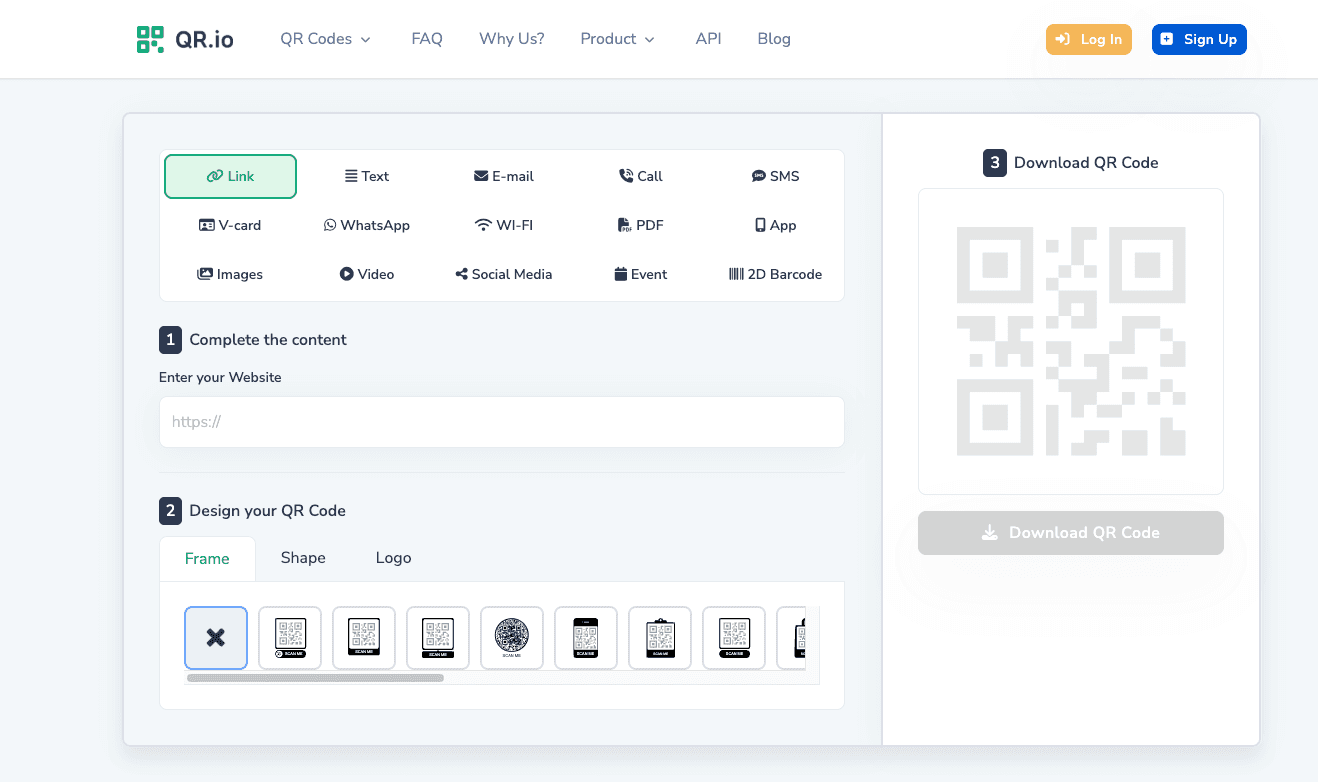
QR.io is a high-end QR code generator platform built for businesses, agencies, and marketers who need more than just basic QR functionality.
While it doesn’t cater to the “free forever” crowd, it offers a comprehensive, premium experience for users who are ready to invest in scalability, branding, and campaign-level features.
QR.io supports both static and dynamic QR codes, but it truly shines with its dynamic capabilities, detailed analytics, and customizable mobile landing pages, a feature not commonly found in competing platforms.
Key Features
Dynamic and static QR code generation
Real-time scan analytics (location, device, timestamp)
Custom QR code designs: shapes, logos, colors
Built-in landing page builder for each QR code
Unlimited QR codes and scans (on paid plans)
Bulk QR creation, team collaboration, and API access (in higher tiers)
7-day free trial to explore all features
Pricing
Free Trial: 7-day full-access trial
Paid Plan:
Basic: ~$35/month or $350/year
Includes unlimited QR codes and scans
Higher tiers offer advanced permissions, API integrations, and more team features
Why Choose QR.io
QR.io is built for professional use. If you're running large-scale QR deployments, organizing campaigns across multiple clients or departments, or want to create branded QR experiences with custom landing pages, this tool delivers everything in one place.
It’s particularly strong for:
Marketing agencies needing bulk generation + branded journeys
Mid-sized businesses running QR campaigns at scale
Companies wanting full control over the post-scan user experience
The landing page builder is a standout: instead of just sending someone to a URL, you can craft a mobile-friendly page inside QR.io, perfect for showcasing content, promoting offers, or capturing leads without relying on external websites.
However, the premium nature of QR.io comes at a cost. At $35/month, it's not an ideal option for small businesses or individuals with limited QR needs. And there’s no free tier beyond the 7-day trial, so long-term use requires a subscription.
Website: qr.io
How to Choose a QR Code Generator?
With so many QR code generators available – from free simple tools to complex enterprise platforms – how do you decide which one is right for you? Here are some key factors to consider when choosing a QR code generator for your needs:
Static vs Dynamic Needs: First, determine if you need static QR codes, dynamic QR codes, or both. If you just need a basic QR code (e.g., to encode a URL or text) and you’re sure the content won’t need changing and you don’t need scan analytics, a simple free static QR code generator like QR Code Monkey or The QR Code Generator might suffice. However, if you want to track scans or might need to edit the QR code’s destination later, you’ll want a generator that supports dynamic QR codes. Remember, dynamic codes often come with platform dependencies – ensure the service’s free plan or pricing fits your usage. (Static codes are free and unlimited almost everywhere, whereas dynamic codes might only be free up to a point)
Customization and Branding: Consider how important the visual design of the QR code is for you. Some generators allow extensive customization, colors, adding logos, custom shapes, decorative eyes, etc., which can make the QR code more aligned with your brand or campaign design. For example, QR Code Monkey, QRfy, and QR.io are known for their strong customization options. ShortPen and Uniqode also allow branded domains and colors. If a plain black-and-white code is fine for your use, then any generator will do; but if you want the code to look unique or include your logo, choose a tool that supports that (often as part of dynamic code features or premium.
Analytics and Tracking: Think about whether you need to collect data on scans. If yes, you must use dynamic QR codes on a platform that provides analytics. Different services offer different levels of detail. Basic analytics might just show the number of scans, while advanced ones (like ShortPen, Uniqode, QR.io) show detailed breakdowns (scans over time, by location, device, etc., and even downstream conversion events). If marketing ROI is important, look for a generator with robust analytics and possibly integration with tools like Google Analytics. If analytics are not needed at all (say you’re just using a QR code on a wedding invite or a one-off info link), you can save cost/complexity by sticking to a static code.
Cost and Limits: Budget is a practical concern. Many QR code generators have freemium models. Evaluate what the free plan includes: How many dynamic QR codes are allowed? Are there scan limits per month? Will the code expire or have ads if used for free? For instance, ME-QR and ShortPen offer very generous free plans (unlimited or high-limit dynamic codes with no expiration), whereas others like QR.io have no free tier beyond a trial. Also, beware of “free trials” vs “free forever” plans – some services (like QRfy, as noted) require payment after a trial to keep codes active. If you’re just testing, trials are fine, but for long-term use, a permanent free plan or a reasonably priced subscription is key. Compare pricing of paid plans: some start as low as $5/month (QR Code Generator, Uniqode, etc.), while others can be $30+ a month. Choose what fits your scale, there’s no need to overpay for features you won’t use, but also don’t go for a “free” solution that might jeopardize your campaign (e.g., by inserting ads or expiring unexpectedly).
Ease of Use: Some tools are more user-friendly than others. If you are not very tech-savvy or you need to churn out QR codes quickly, a straightforward interface is important. QR Code Generator and QR Code Monkey are praised for simplicity. More advanced tools might have a learning curve due to more features. Check if the platform has good UX, previews, and perhaps templates (for example, some offer preset templates for vCards, Wi-Fi codes, etc., making creation easier).
Support and Reliability: If you’re using QR codes for business, you’ll want a reliable service (downtime could mean your QR codes don’t work) and possibly support if something goes wrong. Established platforms like Bitly (QR Code Generator), Uniqode (Beaconstac), and QR.io likely have dedicated support and strong uptime. Community feedback can be a gauge, for instance, many users on forums have shared experiences (good and bad) about various services. It’s wise to avoid any service that has reports of “bait-and-switch” tactics or poor transparency. The Reddit case with QRFY is a good example: the service worked, but the user felt misled by the trial expiration. Look for clarity in the service’s documentation about what’s free and what’s not.
Advanced Features: Consider any specific features you might need. Some examples: bulk QR code generation (important if you need hundreds or thousands of unique codes at once – e.g., unique coupon codes for each flyer – tools like Uniqode, QR.io, and ShortPen’s API can do this). API access (if you want to integrate QR code creation into your own software or application – offered by ShortPen, Uniqode, QR.io on specific plans). Integrations (Uniqode integrates with Zapier, Slack etc., ShortPen provides an API and webhooks, etc., which can save you time if you want to automate things). Security and management (enterprise features like SSO login, team management, role-based access, and data compliance might matter for corporate use – Uniqode, for example, emphasizes its SOC2 and GDPR compliance). If you don’t need these, you needn’t pay for them, but if you do, pick a platform that has them.
Output Formats and Quality: If you need to print the QR code on large posters or banners, make sure the generator provides high-resolution or vector downloads (SVG, EPS, PDF formats). Many free tools like QR Code Monkey do offer SVG download for free, which is great for print. Some other services might restrict vector downloads to paid accounts. Always test downloading the code and printing it at the required size to ensure it remains clear and scannable.
By weighing these factors, you can narrow down the field. For example, if you’re a small business wanting to experiment with QR marketing, you might start with ShortPen or ME-QR because of their free plans and upgrade later if needed.
If you’re an enterprise with a specific analytics environment, you might choose Uniqode for its GA integration or QR.io for its all-in-one approach. And if you need a quick static code for personal use, a free site like QR Code Monkey or The QR Code Generator is excellent.
The great news is that you can try most of these options at no cost (either via free plans or trials), allowing you to prototype and see what works for you.
Just remember to consider the longevity of your QR codes. If it’s something that will be out in the world for a long time (printed on hundreds of items, for example), ensure the service you choose will keep it active or allow you to export it in a way that’s not dependent on a subscription to function.
Conclusion
QR codes are only growing in popularity as a fast, contactless way to connect people to digital content, and choosing the right QR code generator can make your life much easier.
In this article, we’ve looked at some of the best QR code generators available, from free static code tools to advanced dynamic QR platforms.
To recap:
ShortPen offers an all-in-one solution (short links + dynamic QR codes + analytics) and stands out with features like post-scan conversion tracking and unlimited branded QR codes even on its free plan. It’s a top choice for anyone who wants to create QR codes that are trackable and editable, without immediately investing in expensive software.
QR Code Monkey remains a fantastic go-to for quick, free static QR codes with customization. It’s simple and effective for non-trackable needs. Just remember its limitation (static only unless combined with a paid service).
Uniqode (Beaconstac) is ideal for enterprises or power users who need deep analytics, integrations, and reliability at scale. It has a rich feature set (GA integration, bulk creation, security compliances), albeit at the cost of subscription fees after the trial.
QR Code Generator (Bitly’s platform) strikes a balance for small businesses, it’s user-friendly and affordable to start with dynamic codes (watch out for the ads on the free/trial dynamic codes). It’s one of the older trusted names and can be a solid choice for moderate use.
ME-QR has emerged as a strong player by offering a lot for free. Unlimited dynamic codes that stay active and a wide array of QR types make it very appeal. It’s great for those testing the waters, as long as you’re okay with or remove any ads if they appear.
QRfy gives you creative freedom and analytics together. It’s excellent for marketing applications where design matters. Just ensure you properly utilize their free plan (via account) if you want to avoid trial expiration. With an affordable entry point, it’s a sweet spot for many small businesses.
QR.io is a powerhouse for those who require it all – dynamic codes, real-time data, custom landing pages, etc. – and are willing to invest accordingly. It might be overkill for simple needs, but for comprehensive campaigns it can be a one-stop shop.
When choosing, always consider the longevity and scale of your project. If it’s a long-term deployment (like a QR code in print that will be out in the wild for years), lean towards a stable solution (and probably dynamic so you have control).
If it’s a short-term or personal use, a free static code is fine. Also, weigh the importance of analytics; those data insights can be extremely valuable – knowing how many people scanned your code can inform your marketing ROI or personal satisfaction.
Finally, keep user experience in mind. A branded, well-designed QR code can increase scans (people trust it more), and a fast, reliable redirect improves satisfaction. Generators like ShortPen allowing custom domains or QR.io, enabling mini landing pages, can enhance that user experience.
Ready to make every click count?
Simplify your link management, gain valuable insights, and take control of your online presence. Your journey to better links starts here.