Top 10 Best Link Tracking Software for Effective Performance Analysis
Last updated:
Attribution and analytics

LucaG is the co-founder of ShortPen. Before that, he built Guadagnissimo from scratch, a personal finance blog that reached hundreds of thousands of readers per year and was later acquired. That experience is where he learned SEO and marketing attribution hands-on. He also runs NTSOT, a newsletter on tools for work and life. His background spans product design, growth, and building online businesses.
Show more
The best link tracking software for most marketers is ShortPen (our product). Its free plan tracks unlimited links and clicks plus 100 conversions a month. ClickMagick is the pick for paid ad tracking and fraud detection, Voluum for affiliate marketers, LinkTrackr for the lowest price, and Dub for referral programs.
Link tracking software helps marketers and product teams create links and capture detailed click and conversion data. These tools turn every shared link or QR code into a measurable asset, revealing where traffic comes from and which campaigns drive sales.
In today’s multi-channel landscape, tracking link performance and user interactions is essential: you can see not just how many people clicked your link, but who they are, where they came from, and what happened next.
With the right link tracking software, you can automatically gather UTM parameters, geo/device data, and even post-click events (signups, purchases, etc.), enabling more intelligent campaign optimization.
In this guide, we compare the top 10 link tracking platforms. We’ll define what link tracking software does, highlight must-have features, and examine each tool’s strengths, weaknesses, and pricing.
Wherever possible, we reference the latest product plans and expert reviews to give you up-to-date, objective insights.
Try ShortPen for link tracking
See clicks, scans, and conversions for every branded link and QR code in one dashboard.
What is a Link Tracking Software?
Link tracking software (also called a URL shortener or link management tool) creates shortened or branded URLs and monitors the clicks on those links.
In essence, it answers the question: “Who clicked my links, from where, and did they convert?”.
Practically speaking, a link tracker lets you:
Shorten and brand URLs. Turn long, unwieldy URLs into concise custom links (like yourbrand.com/sale) that are easy to share and remember.
Embed tracking data. Automatically append UTM parameters or custom tags to ensure consistent campaign attribution.
Collect click analytics. Record each click’s timestamp, location, device, referrer, etc., often in real time.
Track post-click events. Advanced tools let you drop a pixel or script so that, after someone clicks your link, you can see whether they signed up, bought something, or completed a defined goal.
Generate QR codes. Many platforms also create dynamic QR codes for print or on-screen use, tracking scans just like link clicks.
Provide reports and integrations. Link trackers typically offer dashboards (and API access) to integrate click data with other analytics or CRM systems.
Link tracking software goes beyond simple URL shortening. It’s a full analytics solution for your marketing links.
By understanding exactly which links drive engagement and conversions, you can refine your messaging and allocate budget to the highest-performing channels.
Key Features of Link Tracking Software
Modern link tracking tools share many common features, but the best solutions stand out by combining robust analytics with flexibility.
Here are the key capabilities to look for (we’ll revisit these after reviewing the tools):
Branded Custom URLs: Ability to use your own domain (e.g., go.yourbrand.com) so that links carry your branding and appear trustworthy. Branded links boost click-through rates by making URLs more recognizable.
Advanced Analytics: Real-time dashboards showing clicks over time, click-through rates (CTR), conversion rates, device and location breakdowns, and more. Look for tools that provide detailed insight into user behavior so you can adjust campaigns on the fly. Metrics like CTR and conversions are crucial, as they show not just how many clicked, but how many took the next step.
QR Code Generation: Built-in QR code creation that stays dynamic. You should be able to generate a QR code alongside a link and change its destination later if needed, while still capturing scan data.
Link Editing: The flexibility to edit a link’s destination or slug even after creation. This ensures your marketing content doesn’t break if you need to redirect traffic, a feature not all tools offer.
Bulk Operations & Organization: Features like bulk link shortening, importing/exporting CSV of links, and organizing links into folders or tags. This is especially useful for large campaigns.
UTM and Parameter Support: Automatic UTM builder or the option to attach custom tracking parameters to links without manual error. Many solutions include a UTM builder in the interface.
Conversion/Event Tracking: The ability to record what happens after a click (e.g., a purchase or form submission). Leading platforms let you “track real results, not just clicks” by dropping a short script or pixel on your pages. This post-click tracking is essential for understanding true ROI.
API Access & Integrations: A well-documented API (and connectors like Zapier) so you can automate link creation and pull data into BI tools or workflows.
Security & Reliability: SSL encryption, GDPR compliance, link cloaking (to hide long destinations), and bot filtering. Also consider uptime SLA and support, which vary by vendor.
Each link tracker may emphasize different strengths: for example, affiliate-oriented tools often include rotating links (split traffic across multiple offers for A/B testing), while enterprise tools may offer role-based permissions and audit logs.
We’ll note unique features of each tool below.
Best Link Tracking Software
We evaluated the top tools on the market, focusing on the needs of both technical teams and marketers.
Each tool’s description includes key features and current pricing. (Pricing is current as of late 2025; see the official site for any updates.)
1. ShortPen
Overview
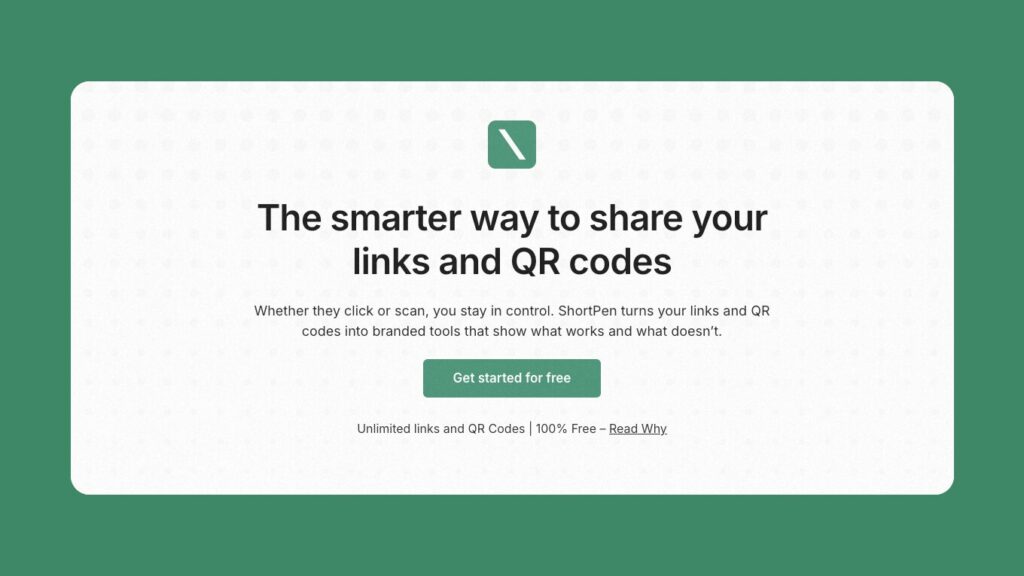
ShortPen is a link and QR code management platform built for marketers and developers.
It emphasizes unlimited link creation and deep analytics.
In the UI, it highlights features like unlimited links/QRs, unlimited click tracking, and advanced analytics (versus competitors that cap these at 10–50/month).
ShortPen supports branded custom domains, flexible slug editing, and even post-click event tracking through a simple pixel integration.
The focus is on “real results, not just clicks.” ShortPen’s design is clean and user-friendly, with workspaces to separate projects by client or brand.
Key Features
ShortPen offers built-in link and QR code generation (editable after printing) and advanced click analytics (location, device, etc.).
Its standout feature is event/conversion tracking: by dropping a small script on your site, ShortPen automatically attributes form fills, signups, or purchases to individual links.
It also includes link management tools like folders, tags, and link destination editing.
Under the hood, an API lets you automate everything (create links, pull reports, log events).
Pricing
ShortPen has a generous free plan and straightforward paid tiers.
The free plan includes unlimited links and clicks (so you can create as many shortened URLs and generate as many clicks as you want) and allows tracking up to 100 conversions/month. This is far more than many free link tools (e.g., Bitly’s free plan is limited to 5 links/month).
Paid plans start at $29/mo (Plus) and $69/mo (Scale) when billed monthly.
The Plus plan ($29/mo) adds API access, unlimited analytics, and 10,000 conversions/month.
The Scale plan ($69/mo) raises that to 100k conversions/month and 10 custom domains.
All plans include multiple user seats and workspaces. (Annual billing saves ~20%.)
Why It’s Great
ShortPen balances simplicity with power. Its strengths include unlimited everything (links, clicks, data retention), easy branded links, dynamic QR codes, and built-in event tracking.
The combination of advanced analytics and automation (API) makes it ideal for SaaS product teams and agencies alike.
Because ShortPen provides conversion tracking out of the box and keeps all click data indefinitely, you can trust it for long-term campaign analysis.
Ready to get started? ShortPen offers a free forever tier.
You can sign up for free and start tracking unlimited links today.
2. Bitly

Overview
Bitly is one of the best-known link shorteners, popular with marketers for its ease of use and integrations.
Its platform (now called the Bitly Connections platform) does more than just shorten URLs, it also generates QR codes and mobile-friendly landing pages.
The Bitly UI emphasizes branded links (in higher tiers), UTM campaign tracking, and analytics. Bitly is an industry standard, used by many large brands.
However, its free and lower-tier plans are quite limited.
For example, the free Bitly plan only allows 5 links per month (and 2 QR codes), with unlimited clicks but no branded domains or deep analytics.
Key Features
Bitly’s Enterprise and Growth plans focus on branding and data.
The Growth plan ($29/mo billed annually) includes up to 500 Bitly links/month and allows you to use a custom domain for branded links. It also adds a UTM builder, bulk link creation, and 4 months of analytics history.
Higher plans (Premium $199/mo, Enterprise) include more links, QR codes, and advanced features like 1 year of data, city-level analytics, campaign tracking, and deep linking (for mobile).
Across all plans, Bitly supports link editing (back-half customization), QR code generation, and an API for automation.
Pricing
Bitly has a free tier and several paid tiers. As mentioned, the free plan is very basic (5 links, 2 QR codes).
The Core plan is $120/year (~$10/mo) and bumps the limit to 100 links/month.
The most popular Growth plan is $29/mo (annual) and includes 500 links and a complimentary custom domain.
Premium is $199/mo. (Bitly also offers mid- and enterprise-level plans with custom pricing and higher limits.)
Because Bitly’s free plan is so restrictive, many users quickly move to Growth or above.
Why It’s Great
Bitly’s strength lies in its brand recognition and polished analytics.
It integrates with many platforms and offers features such as QR code customization, link-in-bio pages, and robust link editing.
Its dashboard is user-friendly, and the Connections platform adds marketing tools beyond just links.
Keep in mind, though, that Bitly often charges extra for things like custom domains (the Growth plan uniquely includes one complimentary domain, whereas cheaper Bitly tiers do not).
If you need a no-frills free plan, Bitly’s is limited, but for serious tracking with an established name, it’s a top contender.
3. Rebrandly
Overview
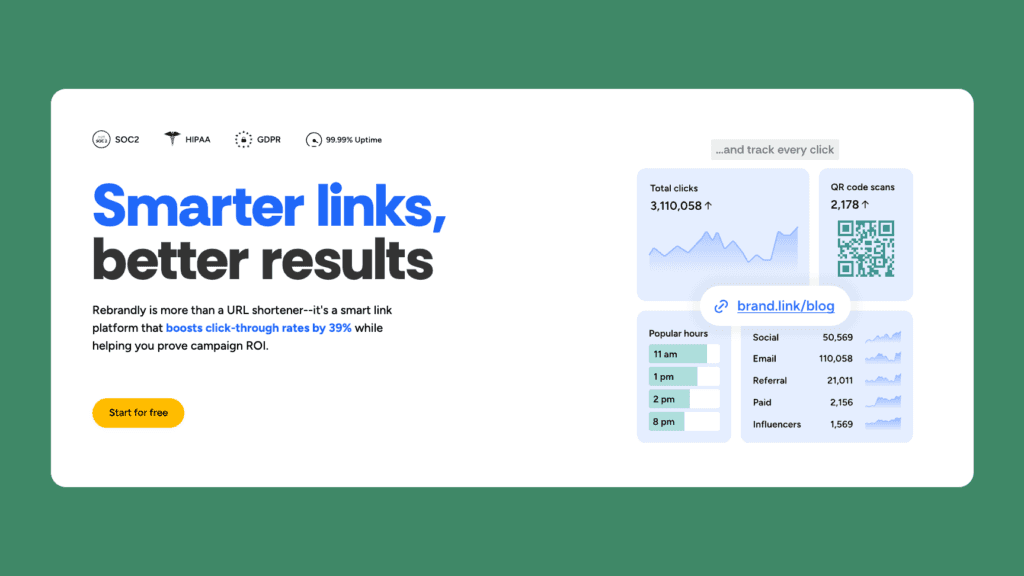
Rebrandly is a “smart link” platform that specializes in branded URLs and team collaboration.
It’s designed to boost click-through rates by using custom domains and to provide detailed branding analytics.
Rebrandly is popular with marketing teams and boasts many integrations (LinkedIn, Twitter, Slack, etc.). Users praise its link editing and UTM builder.
It also generates QR codes and includes an AI-suggestion feature for link scheduling.
Rebrandly’s interface shows a clear progression of plans, from free to Enterprise, with a strong focus on link volume.
Key Features
Rebrandly’s free plan lets you create up to 10 branded links per month and use 1 custom domain.
The Essentials plan ($11/mo) increases this to 250 links with 2 domains and adds more analytics (audience data on up to 10k clicks).
Paid tiers include more link volume, password-protected links, link expiration, and 3+ domains.
Rebrandly supports UTM management, link folders, and a Chrome extension. It also generates QR codes (Rebrandly’s blog and docs mention QR code features).
Pricing
The volume of branded links tiers Rebrandly’s plans.
The free plan offers up to 10 branded links/month (plus unlimited generic rebrand.ly links), 10 QR codes, and 1 domain.
Essentials is $11/mo (250 links). Professional is $32/mo (1,500 links), and Growth is $99/mo (3,500 links). Enterprise has custom pricing.
All plans include unlimited click tracking and custom UTM/campaign building.
Rebrandly’s pricing is competitive if branding is a priority, though their link quotas may be too low for high-volume users unless upgrading.
Why It’s Great
If link branding is important to you, Rebrandly shines.
It makes it easy to manage dozens of custom domains and maintain consistent naming conventions. Its link analytics are solid for marketing (UTM builder, click demographics), and the free tier is fairly generous for light users (10 custom links, one domain).
One downside is that high-tier plans get expensive quickly for large teams.
However, with 100+ integrations and features such as link expiration and AI suggestions, Rebrandly is a full-featured solution for marketers. It also includes QR code generation for each link, and you can track clicks and code scans in a single interface.
4. TinyURL

Overview
TinyURL is one of the oldest URL shorteners, recently revamped with new features.
It now offers branded links, analytics dashboards, and QR code generation, moving beyond its original basic service.
The interface is simple, mirroring the site’s minimalist heritage. TinyURL is aimed at users who want an easy shortener but need some tracking data. Its analytics show click history and geography, and you can manage custom domains for branded links.
Key Features
The upgraded TinyURL includes click stats for each link and supports custom URL aliases. It offers QR codes linked to your short URLs.
TinyURL’s toolset is more basic than that of enterprise products: it does not natively support post-click event tracking or complex routing.
However, it does cover the essentials: link shortening, custom back-halves, custom domains (on paid plans), and basic analytics (click counts, referrers, countries). There is no conversion pixel feature.
Pricing
TinyURL has a freemium model.
The Free plan lets you shorten up to 100 links and create 30 branded links per month. It includes one custom domain.
The Pro plan is $9.99/mo (or $119.88/year) and dramatically raises limits: up to 10,000 links, 10,000 trackable clicks, and up to 10,000 branded links.
Higher-volume plans (Bulk, Enterprise) go up to 100K links and clicks for $99/mo, with custom pricing available.
Why It’s Great
TinyURL’s strength is its simplicity and affordability.
For a mere $10/mo, you get 10,000 shortened links with full click tracking. The free plan is more generous than Bitly’s free plan in terms of link count (100 vs. 5).
If you don’t need conversion tracking or advanced targeting, TinyURL handles the basics well. The platform offers SSL links, link expiration, and the ability to cloak links (hide the destination).
It’s a solid choice for small businesses or personal projects that want basic branding and analytics without extra bells and whistles.
5. ClickMagick

Overview
ClickMagick is a powerful ad and link tracking platform, aimed primarily at advertisers and affiliate marketers.
It excels in detailed conversion attribution and fraud protection. Unlike simple shorteners, ClickMagick provides multi-touch click attribution, affiliate link cloaking, and even an AI insights feature.
The dashboard shows real-time stats across multiple campaigns, and you can track both clicks and conversions from various sources. It has earned a reputation for accuracy in ad tracking.
Key Features
ClickMagick supports multi-channel tracking: you can import campaigns from Google, Facebook, etc., or generate its tracking links.
Key features include bot and click-fraud filtering, cross-domain and cross-device tracking, and direct integration with Shopify and other ad platforms. It offers advanced split-testing (A/B and rotators) and conversion funnel tracking.
Notably, ClickMagick has TrueTracking®, which stitches together ad clicks (including Facebook via their Conversions API) back to conversions.
They also recently launched “ClickMagick Insights™,” an AI tool that highlights underperforming campaigns. All plans include link cloaking, UTM tracking, and an API/Zapier integration.
Pricing
ClickMagick’s plans are some of the most expensive in this list, reflecting its enterprise-class features.
The Starter plan is $79/mo (or $948/yr). It allows up to 10,000 visitors tracked per month and one user.
The Standard plan is $199/mo (or $1,990/yr) and raises the visitor limit to 100,000 with three users (plus advanced features like bot filtering, custom domains, and more one-year data).
The Pro plan is $349/mo (or $3,490/yr), scaling up to 1,000,000 monthly visitors and unlimited users.
For the features, many users find the price justified, the company boasts over 100,000 marketers using it.
Why It’s Great
If you run paid ads and need granular tracking and optimization, ClickMagick is a great choice. It’s built to increase ROI: real-time tracking, fraud protection, and an emphasis on conversions.
It can handle things like phone sale tracking and offline conversions, which few others do.
The downsides are complexity (it has a learning curve) and cost.
6. Voluum

Overview
Voluum is a cloud-based ad tracker and affiliate tracking platform. It’s built for media buyers, affiliates, and agencies that run high-volume campaigns across multiple networks.
Like ClickMagick, Voluum goes beyond simple link shortening: it offers AI-powered traffic distribution, extensive attribution modeling, and anti-fraud features.
Voluum’s interface presents complex campaign stats and supports rule-based redirects (e.g., send German traffic to the German site, or split-test multiple landers).
Key Features
Voluum includes multi-channel tracking (paid ads, organic, email, etc.), cookieless tracking options, and detailed reporting on campaigns, landing pages, and offers.
Unique features include “Traffic Distribution AI” (automatically shifts traffic to the best-performing pages) and an “Anti-Fraud Kit” with bot filtering.
Its dashboard is highly customizable with filters for time, offer, campaign, etc. Voluum also offers templated push traffic tracking and can ingest API conversions from networks. Custom domains and SSL are included for branded tracking domains.
However, Voluum does not natively support a post-click “pixel” event tracker in all tiers (conversion attribution is via postbacks or API for higher plans).
Pricing
Voluum’s pricing is on the higher end, reflecting its enterprise focus.
The plans are split into “Profit,” “Scale,” and various “Business” tiers.
According to Voluum’s docs (and verified by a 2025 review), the Profit plan starts at $149/month ($119 if billed yearly). This includes tracking up to 20 campaigns and 1 million events (clicks/impressions) per month.
The Scale plan costs $349/month ($299/yr) and includes up to 60 campaigns and 5 million events.
Above that are the Startup ($599/mo), Agency ($999/mo), and Enterprise ($1,999/mo) plans, each with higher campaign/event limits and features such as dedicated account managers and white-labeling. (Voluum offers a 14-day free trial.)
Why It’s Great
Voluum is excellent for affiliate and performance marketers who need advanced funnel tracking. Its strength is in handling large campaign data with automation.
The platform’s AI and automation features (such as auto-optimization based on spend rules) are appealing to high-scale advertisers.
The downside is price and complexity.
7. Improvely

Overview
Improvely is a link-tracking service and analytics tool built around conversion tracking and fraud detection, enabling you to analyze traffic sources. It’s well-suited for freelancers, small agencies, and marketing teams that want to see which clicks turned into sales.
Improvely tracks visits and conversions across all sources (ads, emails, social, etc.) and provides campaign-level ROI data. It also detects duplicate conversions and click fraud (by IP and cookie).
Key Features
Improvely lets you create tracking links (cloaked URLs) and then tag conversions (sales, signups, etc.) back to those links.
It offers A/B split testing and split traffic across multiple landing pages. Link management includes labeling campaigns and links, but it’s less about branded domains and more about campaign analytics.
Pricing
Improvely’s pricing is usage-based (visits tracked).
The Startup plan is $79/mo and covers up to 50,000 visits and 3 team members.
The Small Agency plan is $149/mo for 100,000 visits and unlimited members.
Large Agency starts at $299+/mo for 250,000+ visits.
Compared to others, Improvely is mid-range priced but combines link and conversion tracking in one interface, which some simpler shorteners lack.
Why It’s Great
Improvely’s advantage is its conversion focus. If your priority is tracking sales from links and detecting fraud, it delivers with a straightforward UI. The team/collaboration features (sub-accounts for clients, white-label reports) are nice for agencies.
However, as a link shortener, its branding is limited (it doesn’t focus on custom domains per se), and its analytics are simpler than those of enterprise tools.
Unlike ShortPen or Rebrandly, Improvely’s free trial is time-limited (no permanent free plan).
8. LinkTrackr

Overview
LinkTrackr is an older link-tracking and affiliate tool geared toward direct marketers and small businesses.
It offers standard features such as cloaking (masking affiliate/target URLs), conversion tracking with pixel/postback support, and basic split testing.
It’s less polished than some newer tools, but it has been maintained and has a loyal user base among affiliate marketers.
Key Features
With LinkTrackr, you can create tracking links (including rotators and split-tests), tag them with channels, and then log conversions or sales back to those links.
It includes features like geo-targeting (redirecting users by country or device), scheduling (expiring links after a date), and click fraud filtering.
It also offers pixel tracking and CSV import support for affiliates. The analytics cover basic click counts and conversions. QR code generation is supported, too.
Pricing
LinkTrackr is very inexpensive compared to others.
The Basic plan is $7/mo and includes 100 tracking links and 10,000 clicks per month.
The Pro plan is $17/mo with 500 links and 50,000 clicks.
Hyper is $27/mo for 1,000 links and 100,000 clicks.
No free plan is advertised (though the Basic plan is essentially low-cost access).
Why It’s Great
LinkTrackr’s draw is cost-effectiveness. For only $7-27 a month, you get many features that are “premium” elsewhere (cloaking, rotators, and support for custom domains).
However, it lacks fancy analytics, expect basic reports. Also, the design is utilitarian and may feel outdated. There’s no mobile app or fancy dashboards.
9. Dub.co

Overview
Dub.co is a newer link-tracking and referral platform that emphasizes affiliate partnerships and link attribution.
It bills itself as a “modern link attribution platform” for both regular short links (Dub Links) and affiliate/referral programs (Dub Partners).
The focus is on conversion tracking from links and enabling partner commissions.
Key Features
Dub.co has two product lines: “Dub Links” (for marketing links) and “Dub Partners” (for referral/affiliate links).
The Links product offers custom short links, real-time analytics, and link editing. It can generate link analytics for campaigns or individual channels. Unique to Dub: it integrates payout and referral management (for the Partners side).
Both products support conversion tracking. You can fire events or API calls when a sale happens, and Dub attributes the revenue to the referring link.
It also has UTM builder, link expiration, and UTM templates.
Pricing
Dub’s pricing is straightforward.
There is a Free tier for Dub Links: it includes 25 links, 1,000 tracked clicks per month, basic support, and a 30-day data retention.
The Pro plan is $25/mo (billed yearly) and offers 50K tracked clicks, 1K new links per month, 1-year data retention, free Dub .link domain, and up to 3 custom domains.
The Business plan is $75/mo with 250K clicks and 10K links.
An Advanced plan ($250/mo) covers 1M clicks.
All paid plans include features like A/B testing, conversion tracking, deep links, and Slack/webhook alerts.
Why It’s Great
Dub.co stands out by combining link shortening with affiliate-style tracking.
One caveat: as a newer platform, it doesn’t yet have as many features or integrations as Bitly/Rebrandly.
But for SaaS companies or small businesses building an affiliate program or tracking partner links, Dub’s combined features and analytics are compelling.
10. Short.io

Overview
Short.io (formerly short.cm) is a URL shortener focused on simplicity and team workflows.
It offers branded links on custom domains, real-time link analytics, and collaboration. The platform highlights features like QR codes, API access, and link editing.
It is often compared directly with ShortPen because both offer generous free plans and APIs.
Key Features
Short.io provides advanced analytics (clicks, conversions, device/location charts) and supports multi-user teams with permissions.
It allows unlimited click tracking and link history in higher plans. Features include link expiration, password protection, UTM builder, and country/city targeting for redirects. There’s a built-in A/B testing tool and geotargeting.
As with ShortPen, Short.io lets you change link destinations on the fly. It offers dynamic QR code generation and a robust API.
The platform’s landing pages also mention end-to-end encryption and a 99.9% SLA on higher tiers.
Pricing
Short.io has a great free plan.
The Free tier gives you one user, five custom domains, up to 1,000 branded links, and 50,000 tracked clicks per month.
Paid plans start as low as $5/mo for Hobby (2500 links, 100K clicks) and Pro is $18/mo (unlimited links, unlimited clicks, 10 domains).
Higher plans offer more custom domains and team seats (Team $48/mo, Enterprise $148/mo).
Short.io’s pricing is competitive: even the free plan includes 1,000 custom links, more than enough for many small users.
Why It’s Great
Short.io’s combination of features and pricing is compelling.
The free plan is “free forever” and includes 1,000 branded links.
Even on free, you get API access, QR codes, UTM templates, and 3 custom domains. Paid plans are very affordable for the volume: for example, 100K clicks and unlimited links at $5/mo, and unlimited everything at $18/mo.
FAQ
What is link tracking software?
Link tracking software (URL shortener/management) creates shortened or branded links and records click data. It tells you who clicked your links, where they came from, and which links led to conversions. This is essential for measuring the performance of marketing campaigns across different channels.
How do tracking links work?
A tracking link is a special URL that embeds a redirect through the tracking platform. When someone clicks it, the platform logs the click (time, IP, UTM parameters, etc.) before forwarding the user to the final destination. If configured, the platform can then attribute any subsequent actions (such as form submissions or sales) to that click. In practice, you generate a short link on the tool, share it, and the tool’s analytics dashboard shows you each click and any resulting conversions.
Why should I use link tracking software?
You use it to measure and optimize. Instead of guessing which ads or posts drive traffic, tracking links give precise data on click volume, click rates, and post-click events. This lets you compare channels (email vs. social vs. ads), test different link text or offers, and calculate ROI. Link trackers also handle URL management tasks (such as branding and UTM tags) and often cloak or password-protect your real URLs. In short, they turn every link into a data source for smarter marketing.
What features should I look for in a link tracking tool?
Key features include advanced analytics (CTR, conversions, user behavior), branded domains/custom URLs, QR code support, conversion/event tracking scripts, bulk link operations, and an API. Make sure it provides SSL security and, if needed, GDPR-compliance. Also, check data retention and user seats. The ideal tool lets you not only count clicks but see who clicked and what they did next.
Are there any free link-tracking tools available?
Yes, many tools offer free tiers. For example, Bitly and TinyURL have free plans (though limited to a few links/month). Notably, ShortPen’s free plan includes unlimited links/QR and 100 tracked conversions/month.
How much does link tracking software cost?
It varies widely by features and volume. Many tools start with a free tier. Paid plans can be as low as $5–10 per month for basic use up to hundreds per month for enterprise-level tracking. For most businesses, expect to pay anywhere from ~$20 to $100 per month for a well-rounded solution. Always check each vendor’s current pricing, as most offer monthly or annual options with discounts.
Conclusion: What is the Best Link Tracking Software?
Choosing “the best” link tracker depends on your needs and budget. If you only need basic shortening with minimal analytics, a free plan like Bitly’s or TinyURL’s might suffice (though their limits are low).
For most SaaS marketers and businesses, ShortPen often stands out as an excellent all-around choice.
It offers the essentials (unlimited links, custom domains, real-time analytics) plus conversion/event tracking and an API, features that many competitors reserve for expensive plans.
ShortPen’s free plan is unusually generous, and its paid plans (starting $29/mo) include things like unlimited data retention and auto-conversion tracking. This makes ShortPen a high-value option for tracking clicks and measuring their ultimate impact (signups, sales).
Ultimately, the best tool is the one that fits your workflow.
We recommend testing a couple: for example, sign up for ShortPen’s free plan and try LinkTrackr’s low-cost plan or Bitly’s Growth plan. Compare how easy they make it to create links, access analytics, and especially report conversions/events.
With the right link tracker in place, you’ll gain clarity on your campaigns’ performance, enabling smarter decisions and better ROI.
Branded links and QR codes you can edit after printing
Conversions tied to the exact link or QR code, from your website or store online
Workspaces, custom domains and full analytics history as your team grows
Ready to make every click count?
Simplify your link management, gain valuable insights, and take control of your online presence. Your journey to better links starts here.