Top 5 Bitly Alternatives - Free and Paid [2026]
Last updated:
ShortPen University

LucaG is the co-founder of ShortPen. Before that, he built Guadagnissimo from scratch, a personal finance blog that reached hundreds of thousands of readers per year and was later acquired. That experience is where he learned SEO and marketing attribution hands-on. He also runs NTSOT, a newsletter on tools for work and life. His background spans product design, growth, and building online businesses.
Show more
The best Bitly alternative for most marketers is ShortPen (our product). Its free plan includes unlimited links and tracked clicks, conversion tracking, and no ads on your links. Bitly's free plan allows 5 links a month and shows an ad page before the redirect. Short.io is the pick for branded links on several domains, TinyURL for a quick link with no signup, Sink for self-hosting, and BL.INK for enterprise teams.
Bitly has long been one of the most popular URL shorteners on the web. Founded in 2008, Bitly grew rapidly, at one point shortening 600 million links per month for use in social media, SMS, and email.
It became especially well-known when Twitter adopted it as the default link shortener in 2009. In essence, Bitly made it easy for anyone to create a short URL and track basic click statistics, helping marketers and everyday users condense long links.
However, in recent years, Bitly has made changes that have led many users to search for a better option.
From stricter limits on free accounts to the surprise introduction of ads on free-tier links, Bitly isn’t the no-brainer choice it once was.
The good news is that plenty of Bitly alternatives have emerged, many offering more features, more generous free plans, or lower costs.
In this article, we’ll explore 5 of the best Bitly alternatives that are worth switching to. Each of these link shortener platforms offers robust link tracking, branded link capabilities (including custom domains), QR code generation, and more advanced analytics than you might find with Bitly’s basic service.
Whether you’re a marketer looking for deeper insights, a business trying to brand every link, or just an individual tired of Bitly’s limitations, read on to discover the top Bitly alternatives.
Why Look for an Alternative to Bitly?

If you’ve been a Bitly user, you might be wondering why so many people are suddenly considering other options. Bitly still shortens links effectively, but several drawbacks and recent changes are driving users toward alternatives:
High pricing for premium features
To access Bitly’s more advanced features (like custom domains for branded links or comprehensive analytics), you need a paid plan, and those plans can get expensive.
Bitly’s basic paid tier (Core) costs about $10/month (billed annually) but still doesn’t allow a custom domain or full analytics retention, meaning you’d need to jump to higher plans (~$29/month and up) to unlock those capabilities.
For many individuals and small businesses, Bitly’s cost for robust functionality is hard to justify.
Severe free plan limitations
Bitly’s free plan has become extremely restrictive. Today, free users can create only 5 short links per month, and their link analytics are limited to 30 days of data.
This represents a significant reduction from the past, and it could be a deal-breaker if you need to shorten more than a handful of URLs.
Essentially, Bitly’s free tier is now more of a trial than a usable plan for active users.
Ads and interstitial pages on free links
In 2025, Bitly introduced a controversial change: free Bitly links may show an interstitial “preview” page with advertisements before redirecting to your actual URL.
Bitly frames it as a safety feature, but users and visitors largely see it as unwanted advertising.
Unless you upgrade to a paid plan, anyone clicking your Bitly link might first see a Bitly-branded page (with an ad) asking them to confirm the destination.
This not only creates a poor user experience for your audience but can also hurt trust and click-through rates on your links.
Lack of deeper analytics or conversion tracking
Bitly’s analytics on the free and lower-tier plans are pretty basic, mostly just total clicks and top-level referrers, with limited historical data (as noted, free data vanishes after 30 days).
Bitly does not offer conversion tracking (e.g., tying link clicks to actions like sign-ups or sales) on its standard plans, and it lacks many of the granular insights and integrations that modern marketers desire.
In short, if you need more than rudimentary click counts, Bitly will leave you wanting unless you pay for enterprise-level services.
Given these pain points, it’s no wonder users are seeking out alternatives. The following are five of the best Bitly alternatives available today.
These tools address Bitly’s shortcomings, offering things like more generous free plans, no ads, deeper analytics, conversion tracking, branded domains, and affordable pricing.
Let’s dive in!
5 Best Bitly Alternatives
1. ShortPen – The #1 Recommendation
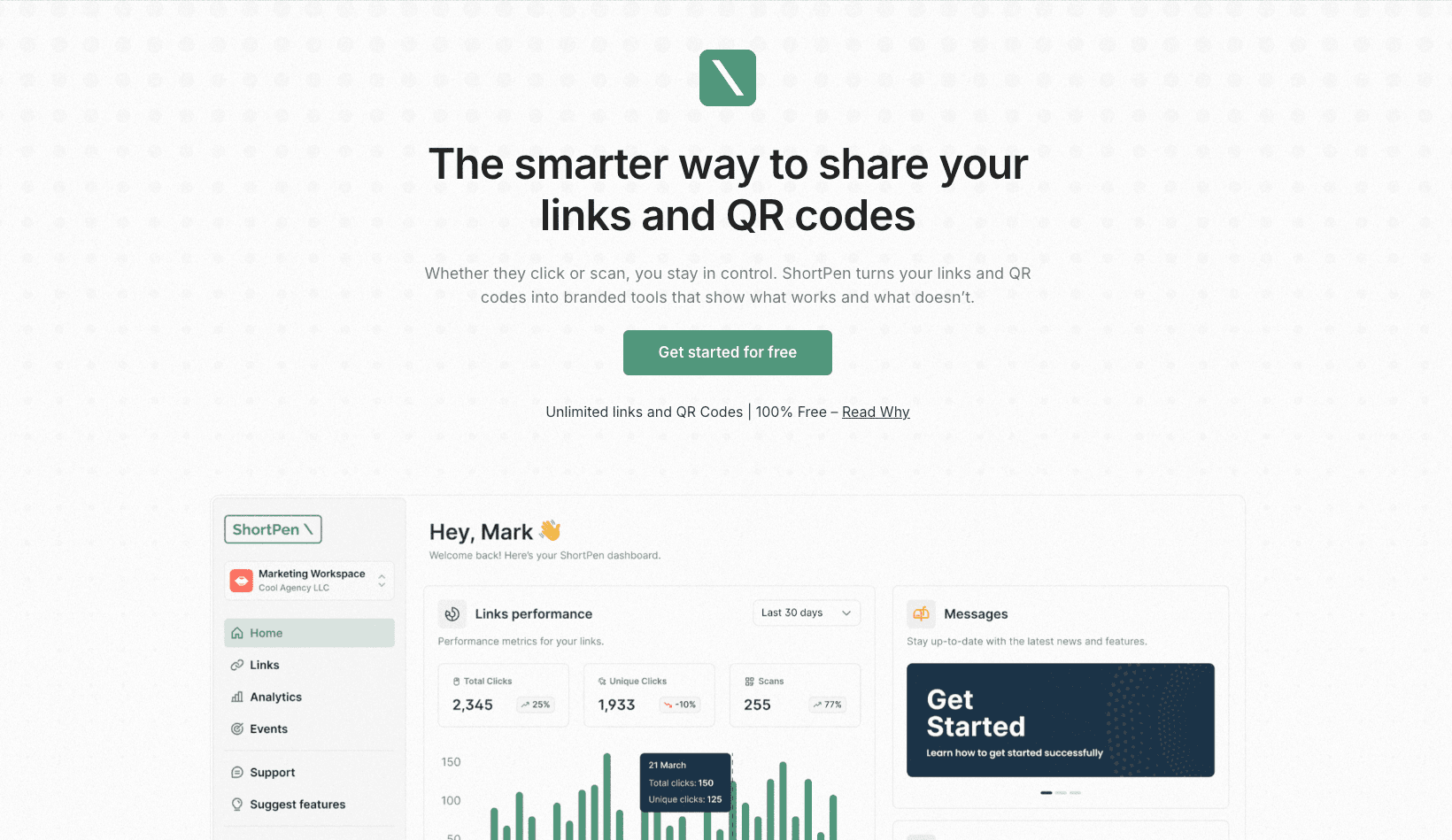
ShortPen is our top pick for a Bitly alternative, and for good reason. ShortPen is a powerful yet user-friendly link management platform designed to address the issues that Bitly users are frustrated with.
It allows you to create short URLs with your own custom domain (branded links), organize them, and track not just clicks but also downstream events and conversions – all without the usual roadblocks like limited quotas or forced upgrade.
In fact, ShortPen offers advanced tracking features even on its free plan, with no ads and no crippling limits to break your workflow.
You only need to upgrade when your needs grow (for example, if you require higher volumes, multiple users, or API access).
Key features and benefits of ShortPen:
Generous Free Plan: ShortPen’s free tier is exceptionally powerful. There are no caps on the number of links or clicks you can track on free accounts, and you get core features like custom domains, real-time analytics, and even conversion tracking included. Unlike Bitly, which limits free users to 5 links a month, ShortPen lets you get real value without forcing an upgrade.
Branded Links & Custom Domains: With ShortPen, you can use your own domain name for links (e.g. yourbrand.link/…) right from the start. This builds trust and brand consistency with every link. You can connect multiple domains and create custom slugs for each link to keep them memorable and on-brand.
Advanced Analytics & Conversion Tracking: ShortPen provides rich analytics in real time. You’ll see not just click counts, but breakdowns by referrer, geolocation, device, and more. Uniquely, ShortPen also lets you track conversions and events after the click, for example, if a user signs up or makes a purchase on your site, ShortPen can attribute that back to the link click. This kind of end-to-end tracking is typically a premium feature in other tools (if available at all), but ShortPen includes event tracking without any complicated setup. It’s a game-changer for marketers who want to measure campaign ROI.
No Ads or Spam: ShortPen does not inject any ads or intermediate pages in your links. Even on the free plan, your audience gets a direct redirect to the destination, ensuring a seamless experience (and no embarrassing ad overlays that Bitly now imposes on free users). This keeps your links professional.
Collaboration and Organization: For power users and teams, ShortPen offers features like multiple workspaces, folders, and team member access. You can invite colleagues or clients into specific workspaces, assign user roles, and manage projects separately, perfect for agencies or social media teams managing multiple brands. Keeping links organized by campaign or client is much easier with these tools (versus Bitly’s one-bucket approach on lower plans).
Developer-Friendly (API access): Need to integrate link shortening into your app or automate your workflow? ShortPen offers a robust API, allowing you to create and manage short links programmatically. You can connect ShortPen with your existing tools or use it in scripts to bulk-create links, etc. (API access is available on the paid plan, when needed).
Other Useful Features: ShortPen includes a built-in QR code generator for every link (with customization options for colors and adding your logo), one-click editing of links (you can change the destination URL of a short link anytime, which Bitly’s free/basic users cannot do), link expiration controls, UTM parameter builder for campaign tracking, and more. All links are secure (HTTPS) and GDPR-compliant by default, ensuring privacy and security.
ShortPen combines the best of all worlds: it offers the ease of use of Bitly, the marketing analytics of an enterprise platform, and the affordability required by individuals and small teams.
It’s especially attractive for marketers, content creators, agencies and SaaS.
Pricing
ShortPen operates on a “freemium” model, you can do a ton for free, and upgrade only when you genuinely need to.
The paid Plus plan is ~$23/month (when billed annually) and unlocks higher capacities (multiple users, more workspaces, API, etc.) while still giving unlimited links, clicks, and data retention.
Notably, $23/month is a flat rate that already includes what many competitors charge $80–$100 per month.
ShortPen’s philosophy is “everything you need, one simple price”, a stark contrast to Bitly’s tiered pricing.
There’s also a 14-day free trial of the Plus plan, so you can test all the premium features risk-free.
If you’re tired of Bitly’s limitations, ShortPen is a superior alternative to Bitly that will make your life easier.
It’s free to start, and you can try ShortPen here to see how it elevates your link management and tracking.
Get Started for Free with ShortPen
2. Short.io

Short.io is another excellent Bitly alternative, particularly known for its emphasis on branded links and custom domains.
Short.io (formerly known as Short.cm) was built to let you easily shorten links using your domain, and it stands out by offering this feature even on the free plan.
With Short.io’s free tier, you can connect up to 5 custom domains and create 1,000 short links in total, a very generous allowance compared to Bitly’s 0 domains and 5 links per month on free.
This makes Short.io a favorite for those who want to establish branded short links without immediately paying for a premium service.
Key features
Custom Domains & Branded URLs: Short.io lets you use your branded domain (or several) to create short links, helping increase trust when people see your URLs. All you have to do is point your domain to their service.
Detailed Analytics: Short.io provides comprehensive analytics dashboards for your links. You can track clicks over time, see geolocation of clicks, device and browser breakdowns, top referrers, etc. There’s also a live clickstream view to watch traffic in real time. While the free plan limits detailed stats to the first 50,000 clicks, that’s sufficient for most non-enterprise needs. Paid plans remove analytics limits and extend data retention.
Link Management & Editing: With Short.io, you can edit your links even after creation (e.g. change the destination URL), set links to expire at a certain time/date, and organize links into folders/projects. It also supports features like adding UTM parameters easily and even geotargeting or device targeting (on higher plans), where you can redirect users to different destinations based on their location or device.
Integrations and API: Short.io integrates with a host of other tools. For example, it has native integrations with Zapier, Slack, Google Analytics, and browser extensions, which can streamline your workflow.
Team Features: If you have a team, Short.io supports multi-user collaboration. You can create teams with different roles (Admin, User, Read-only) to manage links collectively.
Security: Short.io offers options like SSL encryption for all links, and you can even password-protect short URLs if needed. This ensures that your short links are safe and that only intended audiences can access certain content.
Pricing
Short.io’s free plan is one of the best out there for basic use (1,000 total links and up to 5 domains, as noted).
When you need more, their paid plans start at around $19/month (Personal plan) for 10,000 links/year and 10 custom domains, and then higher tiers (Team, Enterprise) for larger needs.
In general, Short.io’s pricing is reasonable for the feature set, though it can get expensive at the high end (the Team plan is around $299/month for high-volume usage).
One thing to note is that some advanced features (like very high link volumes, advanced targeting, or priority support) are reserved for the upper tiers, which might be overkill for smaller users.
For many, Short.io’s Personal or Pro plans will cover a lot, but if you outgrow those, costs climb quickly.
Website: short.io
3. TinyURL

TinyURL is one of the oldest and most recognizable names in the link-shortening space. Launched in 2002, it was a pioneer in making long, complex URLs manageable, and it remains a strong presence today.
If you’re looking for a simple Bitly alternative that doesn’t require creating an account or managing dashboards, TinyURL might be the right fit.
TinyURL is best for individuals who need quick, one-off short links with no hassle. While it lacks many modern features, it still delivers on reliability and ease of use.
Key features and benefits
No account required: Anyone can visit the TinyURL website, paste in a long URL, and get an instant short link (e.g., tinyurl.com/xyz). You can even customize the back-half if the slug isn’t taken.
Unlimited basic shortening: There are no usage limits on the free version, shorten as many links as you like. This makes TinyURL attractive for users who want to avoid caps like Bitly’s “5 links per month” rule.
Basic link customization: Free users can customize the slug, while Pro users can use custom domains for branded links (e.g., link.yoursite.com/sale).
No ads or interstitials: Unlike Bitly’s free links, TinyURL does not show ad pages or previews. All links redirect directly to the destination – clean and fast.
Pricing
TinyURL operates a freemium model:
Free Plan: Unlimited shortening, no login required, but lacks analytics and custom domains. Great for occasional use.
Pro Plan: Starts at $9.99/month, offering:
Branded domains
Click analytics
Link editing & expiration
Custom slugs
No ads
Link management dashboard
It’s a solid, low-cost option if you need a bit more than basic shortening, but don’t want to dive into a full-blown analytics platform.
Website: tinyurl.com
4. Sink

Sink is a unique Bitly alternative that stands apart from commercial platforms. It’s an open-source, privacy-first link shortener designed to be self-hosted, specifically optimized for deployment on Cloudflare Workers.
Rather than offering a SaaS subscription, Sink gives you full control over your infrastructure, branding, and data.
Built for developers and privacy-conscious users, Sink embraces a “Simple, Speedy, Secure” philosophy.
You get clean, trackable short links with no external ads, no analytics leakage, and no usage caps, provided you're comfortable deploying and managing the tool yourself.
If you’re tired of commercial platforms injecting ads, locking key features behind paywalls, or harvesting analytics data, Sink is a breath of fresh air, but it does require some technical know-how to get started.
Key Features
Self-hosted and open-source: Sink is fully open-source and available on GitHub. It’s designed for serverless deployment on Cloudflare Workers, eliminating the need for a traditional server. You retain complete ownership of your data, links, and infrastructure.
No ads, no tracking, full privacy: Unlike Bitly and some other free-tier services, Sink never shows interstitial pages, ads, or unwanted branding. Since you run it, only you have access to the analytics — no third-party data mining.
Clean link generation with custom slugs: Sink supports both manual slug customization and AI-generated slugs for more human-readable short URLs. Perfect for social media or customer-facing campaigns.
Basic dashboard and analytics: You get a simple web interface to view, manage, and analyze your links. It includes basic analytics such as the number of clicks, referrers, and timestamps. You can also set expiration dates for time-sensitive links.
Fast and globally distributed: Thanks to Cloudflare’s global edge network, Sink benefits from high-speed link redirection and low latency worldwide, often faster than traditional server-based solutions.
Developer-friendly: Ideal for engineers, startups, or privacy-focused teams. Setup is well-documented, and being open-source, it’s easy to customize or extend with your logic. Want to contribute? The project welcomes community input and is actively maintained.
Pricing
Sink is completely free to use, the only "cost" is your time and technical effort:
Free forever. There’s no paid version. The code is open-source under a permissive license.
Cloudflare-powered. Hosting on Cloudflare Workers can be free if you stay within Cloudflare’s generous limits (100,000 requests/day on the free tier).
Bring your own domain. Since you're running it yourself, you can set up short links on any domain you own, with full branding control.
Sink is the ultimate DIY Bitly alternative, with zero recurring costs, zero vendor lock-in, but also zero support unless you’re comfortable navigating issues solo or via the community.
Website: sink.cool
5. BL.INK

BL.INK is an enterprise-grade link management platform and a strong Bitly alternative for larger organizations or data-driven teams.
While other tools focus on simplicity or affordability, BL.INK is designed for scale, collaboration, and analytics depth.
If Bitly’s pricing or feature set has you frustrated but you still need a professional-grade tool with top-tier analytics, security, and branded domains, BL.INK might be the solution, especially if you’re managing high-volume campaigns or have strict governance requirements.
Key Features
Enterprise-level link management: BL.INK supports dynamic links, smart redirects, and massive link volumes. You can manage thousands (or millions) of links with detailed controls, from tags and folders to expiration rules and redirect logic.
Branded domains and deep customization: Like other top-tier tools, BL.INK allows full use of custom domains for branded links. You can manage multiple domains, create short links across departments, and configure vanity URLs for different campaigns or teams.
Comprehensive analytics: BL.INK offers granular click data, including:
Real-time performance dashboards
Geographic and device segmentation
Referrers and browser insights
Custom filters and long-term data retention (up to 2 years or more)
Collaboration and access control: Perfect for teams and agencies, BL.INK supports user roles, permissions, and team-based workspaces. You can invite colleagues, assign admins or viewers, and organize campaigns by client, team, or department.
Integrations and automation: BL.INK integrates with marketing and analytics tools, including Google Analytics, Adobe Analytics, HubSpot, and CRMs. It also features a powerful API and supports SSO (single sign-on), Zapier, browser extensions, and even Google Sheets.
Security and compliance: Built with enterprises in mind, BL.INK provides SSL links, IP blacklisting, audit logs, and features that help teams stay GDPR and CCPA compliant.
Pricing
BL.INK is positioned at the higher end of the market, reflecting its enterprise focus:
No permanent free plan – Only a 21-day free trial is available for new users.
Paid tiers:
Expert – ~$48/month: 1 domain, up to 10,000 links, limited users
SMB – ~$99/month: 5 users, multiple domains, more analytics
Team – ~$299/month: 25 users, higher click capacity, more integrations
Business – ~$599/month: 250k links, 60k clicks per link, 10+ domains
Enterprise – Custom pricing with dedicated support, SLAs, and custom features
For solo users or small businesses, BL.INK may be overkill. But for mid-to-large companies that need rock-solid infrastructure, audit-grade analytics, and powerful workflows, the price can be justified.ù
Website: bl.ink
Comparison Table: Top Bitly Alternatives Feature Overview
To help you compare these five Bitly alternatives at a glance, here’s a summary of their key features and how they differ:
Criteria | ShortPen (💙 Our Pick) | Short.io | TinyURL | Sink | BL.INK |
|---|---|---|---|---|---|
Free Plan | Yes – Very generous (unlimited links & clicks, conversion tracking included on free) | Yes – 5 domains & 1,000 links free (detailed stats up to 50k clicks) | Yes – Unlimited basic link shortening (no login required); Pro account required for tracking | Yes – Free & open-source (self-host on Cloudflare; you run it yourself) | No permanent free tier (21-day free trial only) |
Branded Domains | Yes – Custom domains on free and paid (brand every link easily) | Yes – Custom domains even on free (up to 5 on free) | Limited – Only via TinyURL Pro (starts $9.99/mo) for custom domains | Yes – You deploy on your own domain; full control | Yes – Core feature (all plans support branded domains; higher plans allow many domains) |
Analytics | Robust – Real-time clicks + conversion/event tracking even on free; advanced analytics on paid | Detailed – Click stats with geo/device/referrer; 50k click history on free; more on paid | Very basic – None on free (no dashboard); Simple click counts on Pro | Basic – Provides link click counts and stats in your own instance; no fancy dashboards | Advanced – Comprehensive analytics with long data retention (up to 2 years); exportable reports |
QR Code Generation | Yes – Built-in QR codes for every link (customizable, trackable) | Yes – Offers QR code creation for links (dynamic QR in higher plans) | Partially – Can generate QR for a TinyURL (via separate tool or Pro features) | Not built-in – Would require using an external QR generator (links still work with QR) | Yes – Fully supports QR codes (with analytics), great for print campaigns |
Yes – API access (available on paid); plus webhooks and integrations for marketing tools | Yes – Free API for developers; integrates with Zapier, Slack, etc. | Limited – Basic API exists; mostly in Pro context, not as extensive integrations | Open API – It’s open-source, so developers can adapt it; no out-of-box integrations | Yes – Extensive API and enterprise integrations (CRM, automation, etc.); SSO support | |
Notable Strengths | All-in-one: Conversion tracking, unlimited usage, no ads; very affordable upgrade; great for marketers & teams | Best for branded links: Generous free domain usage; strong analytics; widely trusted service | Simplicity: Easiest to use, instant short links; heritage in URL shortening | Privacy & Control: You own the system; no third-party interference; completely free if self-managed | Enterprise-ready: Scales to huge volumes; granular control; rich features for large orgs |
Notable Drawbacks | Newer product (less “proven” in market than Bitly); API and some features require paid plan (free is mainly single-user) | Free plan has link limits; UI can be overwhelming for new users; pricing climbs for high volumes | No advanced features unless you pay; free links are all on TinyURL domain (no branding) | Requires tech setup and maintenance; fewer marketing features out-of-box; no official support team | High cost – not cost-effective for small users; might be overkill if you don’t need enterprise features |
(💙 = ShortPen is our recommended choice for most users seeking a Bitly alternative.)
As you can see, each alternative has its focus.
ShortPen stands out for offering premium capabilities (such as conversion tracking and unlimited link usage) at a minimal cost, making it an excellent choice for individuals, creators, and businesses that want a well-rounded tool without breaking the bank.
Short.io is a close contender, especially if custom-branded links are your priority and you appreciate their generous free domain allowance.
TinyURL remains a handy tool for quick and simple shortening, though it’s not as feature-rich for professional use.
Sink is unique in catering to the tech-savvy crowd that values privacy and control, essentially giving you a free Bitly replacement if you’re willing to run it.
And BL.INK caters to the high-end market, if you need the power and have the budget, it delivers a very robust platform for enterprise link management.
What is Bitly?
After discussing alternatives, let’s quickly recap what Bitly is and why it became so popular in the first place. Bitly is a URL shortening service (and, in its own words, a “Connections Platform”) that was launched in 2008 and became one of the pioneers of modern link shortening.
Bitly allows users to take a long URL and condense it into a short bit.ly/ link that is easier to share and track.
The company Bitly, Inc. is based in New York City and by some reports was shortening hundreds of millions of links per month at its peak.
Bitly’s rise to fame was boosted when Twitter adopted bit.ly as its default shortener in 2009, exposing the service to millions of users who needed shorter links due to Twitter’s character limits.
This gave Bitly a huge user base and a reputation as the go-to link shortener for social media. Over time, Bitly expanded its features: it introduced basic analytics (so you could see how many clicks your link got), allowed users to customize the back-half of links, and eventually added paid plans for businesses.
Bitly’s enterprise offering lets companies use custom branded domains for their short links (e.g. nyti.ms for The New York Times, or pep.si for Pepsi) while still using Bitly’s infrastructure. It also provides more advanced analytics and management tools at that level.
In essence, Bitly became popular for being simple, reliable, and ubiquitous. You’ve likely come across bit.ly links in press releases, tweets, blogs, and emails. They’re everywhere.
The core appeal was that anyone could shorten a link for free and receive a decent, trustworthy short URL. And for marketers, having all those links in one platform meant you could log in to Bitly and quickly see your top-performing links and share those insights.
However, as we highlighted earlier, Bitly’s model has undergone a shift. Today, Bitly is pushing to be a more comprehensive platform (including things like QR code generation and even basic landing pages for link-in-bio use cases), and in doing so, it has placed more restrictions on free usage.
Guest users can no longer create links without an account (as of late 2023), and the free accounts are heavily limited. Bitly also introduced “destination preview” interstitials (with ads) for free links in 2025, which has raised concerns among users.
Essentially, Bitly is now focusing on paid customers, which makes sense as a business, but it opens the door for many competitors to serve users who feel left behind.
Despite these changes, Bitly remains a powerful tool for those who invest in it, many big brands use its enterprise service, and it continues to offer dependable link redirection (with a 99.9% uptime claim).
The Bitly brand is practically synonymous with URL shortening, but as we’ve shown, it’s no longer the only choice, and depending on your needs, it may not be the best choice anymore.
Conclusion
Bitly may have been the king of URL shorteners for over a decade, but times change.
If you’re finding that Bitly’s free plan doesn’t cut it, or you’re frustrated by new limitations and ads, you’re certainly not alone.
From steep pricing tiers to forced interstitial ads, Bitly has created an opening for other services to shine. Fortunately, as we’ve explored, there are now excellent Bitly alternatives that cater to all kinds of users:
If you want a modern, all-in-one solution that gives you advanced tracking (even conversions) without gouging your wallet, ShortPen is the #1 choice. It was built specifically as a better alternative to Bitly for marketers and businesses, delivering more value with fewer constraints. With ShortPen’s free plan and affordable upgrade, you get capabilities that might otherwise require an enterprise plan elsewhere – all while avoiding the annoyances Bitly introduced. We highly recommend giving ShortPen a try (you can start with a free trial and see the difference for yourself).
If your main goal is to create lots of branded short links on your own domains, Short.io is a strong contender, especially given its generous free allowance and solid track record.
For those who just need a quick, simple short link now and then, TinyURL remains a trusty tool – no sign-up, no fuss, and no ads on your links.
If you’re a developer or power user who cares about privacy and control, and you don’t mind a bit of setup, Sink offers a Bitly-like service that’s entirely in your hands and free.
And for enterprises or data-hungry teams, BL.INK provides a scalable platform that can meet complex needs (albeit at a premium price).
In the end, the “best” Bitly alternative depends on what you need: simplicity, features, branding, analytics, or budget-friendliness.
What’s clear is that Bitly is no longer the only viable option. Switching to a tool like ShortPen or one of the others on this list can not only save you money but also unlock capabilities (like deeper analytics or unlimited usage) that help you get more out of every link you share.
Don’t let your link shortener hold you back.
If Bitly’s limitations are impacting your work, consider switching to one of these alternatives. Your links will still be short and sweet – but now they can be smarter, too.
Ready to upgrade your link game?
We invite you to try ShortPen for free and experience how easy and insightful link management can be.
Happy linking!
Ready to make every click count?
Simplify your link management, gain valuable insights, and take control of your online presence. Your journey to better links starts here.